


Hey there! As a supplier of Omron PLCs, I've had my fair share of experiences with these nifty devices. One topic that often comes up is how to use floating - point arithmetic in an Omron PLC. So, I thought I'd share some insights and tips with you all.
First off, let's talk about what floating - point arithmetic is. In simple terms, it's a way of doing math with real numbers that can have a fractional part. This is super important in many industrial applications where you need to deal with precise measurements, like temperature, pressure, or flow rates.

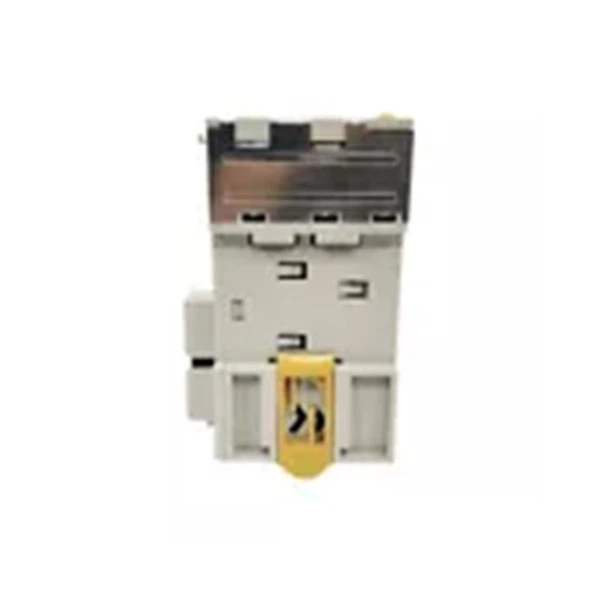
Now, why use floating - point arithmetic in an Omron PLC? Well, Omron PLCs are used in a wide range of industries, from manufacturing to automation. And in these industries, precision is key. Floating - point arithmetic allows you to perform complex calculations with a high degree of accuracy, which is crucial for things like process control and monitoring.
Let's take a look at some of the popular Omron PLC models and how they handle floating - point arithmetic. One of the well - known models is the Omron CJ2M - CPU14. This PLC offers excellent performance and support for floating - point operations. You can use it to perform tasks like calculating averages, performing linear interpolations, or even more complex mathematical functions.
The Omron CJ1M - CPU21 PLC is another great option. It's a compact and cost - effective PLC that still provides support for floating - point arithmetic. This makes it suitable for smaller applications where space and budget are concerns, but you still need accurate calculations.
And then there's the Omron CP2E - N14DR - A. This PLC is known for its ease of use and reliability. It also has the ability to handle floating - point operations, which is great for beginners or those who need a straightforward solution for their automation needs.
So, how do you actually use floating - point arithmetic in an Omron PLC? Here are the basic steps:
Step 1: Understanding the Data Types
Omron PLCs have specific data types for floating - point numbers. Usually, they use a 32 - bit format to represent floating - point values. You need to make sure you're using the correct data type when you're working with floating - point numbers. For example, in the programming software, you'll need to select the appropriate floating - point data type for your variables.
Step 2: Loading Data
Once you've defined your floating - point variables, you need to load data into them. This can be done from sensors or other input devices. For instance, if you're measuring temperature with a sensor, the analog output from the sensor needs to be converted into a floating - point value and loaded into the appropriate variable in the PLC.
Step 3: Performing Calculations
After loading the data, you can start performing calculations. Omron PLC programming software provides a set of instructions for floating - point arithmetic. These instructions include basic operations like addition, subtraction, multiplication, and division, as well as more advanced functions like trigonometric and logarithmic operations. You can use these instructions in your ladder logic or structured text programs to perform the desired calculations.
Step 4: Storing Results
Once the calculations are done, you need to store the results. You can store the floating - point results in other variables or use them to control output devices. For example, if you've calculated a setpoint for a temperature controller, you can use the result to adjust the output of a heater or cooler.
Step 5: Error Handling
It's important to implement error handling in your program. Floating - point arithmetic can sometimes lead to errors, such as overflow or underflow. You need to check for these errors and handle them appropriately. For example, if an overflow occurs during a calculation, you might want to set an error flag or take some corrective action.
Here are some tips to make your floating - point arithmetic in Omron PLCs more efficient:
- Use Constants Wisely: When using constants in your calculations, make sure they're in the correct floating - point format. Using incorrect constants can lead to inaccurate results.
- Optimize Your Code: Try to simplify your calculations as much as possible. Avoid unnecessary operations and use the most efficient instructions available in the programming software.
- Test Thoroughly: Before deploying your program in a real - world application, test it thoroughly. Use simulation tools to check for any errors or inaccuracies in your floating - point calculations.
In conclusion, using floating - point arithmetic in an Omron PLC can greatly enhance the performance and accuracy of your automation systems. Whether you're using the Omron CJ2M - CPU14, Omron CJ1M - CPU21 PLC, or Omron CP2E - N14DR - A, the key is to understand the data types, follow the basic steps, and implement best practices.
If you're interested in using Omron PLCs for your projects and need more information or want to discuss your specific requirements, don't hesitate to reach out. We're here to help you find the best solution for your automation needs. Whether you're a small business looking for a simple automation solution or a large corporation in need of a complex control system, we've got the expertise and the products to meet your demands.
References
- Omron PLC Programming Manuals
- Industrial Automation Textbooks on PLC Programming


