


As a trusted Schneider HMI supplier, I'm often asked about the pre - built objects available in the Schneider HMI object library. These pre - built objects are essential for creating efficient, user - friendly, and visually appealing human - machine interfaces. In this blog, I'll take you through the various types of pre - built objects that you can find in the Schneider HMI object library.
Basic Geometric Shapes
The Schneider HMI object library comes with a wide range of basic geometric shapes. These include rectangles, circles, ellipses, triangles, and polygons. These simple shapes are the building blocks for more complex HMI designs. For example, a rectangle can be used to create a button, a circle can represent a status indicator, and a triangle might be used for an arrow in a navigation menu.
These basic shapes are highly customizable. You can adjust their size, color, border thickness, and fill pattern. This allows you to match the look and feel of your HMI to the overall design of your industrial control system. Whether you're going for a modern, minimalist look or a more traditional style, these geometric shapes give you the flexibility to create the perfect interface.
Text and Labels
Text and labels are crucial for communicating information in an HMI. The Schneider HMI object library provides a variety of text - related objects. You can insert single - line or multi - line text boxes, which can be used to display static information such as titles, instructions, or warnings.
In addition to basic text boxes, there are also dynamic text objects. These can be linked to variables in your control system. For example, you can display the current temperature, pressure, or speed values in real - time. The text formatting options are extensive, allowing you to choose from different fonts, sizes, colors, and alignments. This ensures that your text is clear and easy to read, even from a distance.
Indicators and Alarms
Indicators and alarms are essential for monitoring the status of your industrial processes. The Schneider HMI object library includes a wide range of pre - built indicators, such as status lights, bar graphs, and gauges. Status lights can be used to show the on/off state of a machine, the presence or absence of a signal, or the status of a safety device.
Bar graphs and gauges are useful for displaying quantitative data. For example, a bar graph can show the level of a liquid in a tank, while a gauge can display the percentage of power consumption. Alarms are also an important part of the library. You can set up visual and auditory alarms to notify operators when a critical condition occurs. These alarms can be customized based on different thresholds and conditions, ensuring that operators are immediately aware of any issues.
Buttons and Switches
Buttons and switches are used to control various functions in an HMI. The Schneider HMI object library offers a variety of button and switch objects. There are simple push - buttons, which can be used to start or stop a process, open or close a valve, or perform other basic actions.
Toggle switches are also available, allowing operators to switch between two states. These can be used for functions such as turning on/off a motor or activating a particular mode. The appearance of buttons and switches can be customized, including the shape, color, and label. You can also add animations to make the interaction more intuitive.
Navigation Objects
Navigation is an important aspect of any HMI, especially for larger systems with multiple screens. The Schneider HMI object library provides navigation objects such as menu bars, tabs, and navigation buttons. Menu bars can be used to create a hierarchical menu system, allowing operators to access different sections of the HMI easily.
Tabs are useful for organizing content on a single screen. You can divide the screen into different tabs, each showing a different set of information or controls. Navigation buttons can be placed on the screen to allow operators to move between different screens or perform specific actions, such as going back to the main menu.
Images and Graphics
To enhance the visual appeal of your HMI, the Schneider HMI object library supports the use of images and graphics. You can insert static images, such as company logos, product images, or background images. These can help to create a more professional and branded look for your interface.
In addition to static images, there are also animated graphics available. For example, you can use animated arrows to show the direction of material flow, or animated icons to represent different functions. These animations can make your HMI more engaging and easier to understand.
Integration with Schneider HMI Products
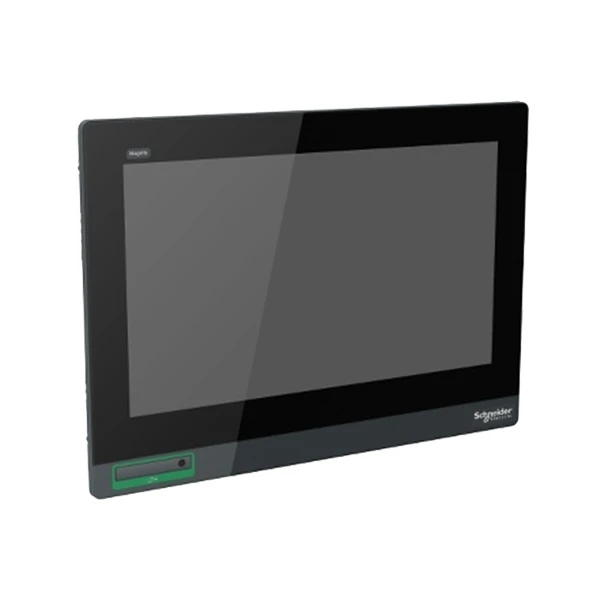
The pre - built objects in the Schneider HMI object library are designed to work seamlessly with Schneider's HMI products, such as the HMIS65 Schneider, HMIDT752 Schneider Electric, and HMISTU855 Schneider Electric. Whether you're using a small - scale HMI for a simple application or a large - scale, high - end touch panel for a complex industrial process, these pre - built objects can be easily integrated into your project.
The compatibility ensures that you can take full advantage of the features and capabilities of your Schneider HMI. You can create rich, interactive interfaces that are optimized for the specific hardware and software environment of your system.
Conclusion and Call to Action
In conclusion, the Schneider HMI object library offers a vast array of pre - built objects that can significantly simplify the process of designing and developing HMI applications. From basic geometric shapes to complex indicators and navigation objects, these pre - built components provide the flexibility and functionality you need to create effective and user - friendly interfaces.
If you're in the market for a Schneider HMI or need assistance with your HMI project, I encourage you to reach out. As a dedicated Schneider HMI supplier, I have the expertise and resources to help you choose the right HMI product and make the most of the pre - built objects in the library. Whether you're a small business looking to upgrade your control system or a large industrial enterprise in need of a custom - designed HMI, I'm here to support you every step of the way. Contact me today to start a conversation about your HMI requirements and explore the possibilities of Schneider HMIs.

References
- Schneider Electric HMI User Manuals
- Schneider Electric Technical Documentation


