


Hey there! As a Siemens HMI supplier, I often get asked about what types of PLCs can be connected to Siemens HMIs. It's a super important question, especially for those looking to set up an efficient and reliable industrial control system. So, let's dive right in and explore the different PLCs that can play nice with Siemens HMIs.
Understanding the Basics
First off, let's quickly talk about what PLCs and HMIs are. A Programmable Logic Controller (PLC) is like the brain of an industrial process. It takes in inputs from sensors, processes that data based on a pre - programmed logic, and then sends out outputs to control various devices like motors, valves, and more. On the other hand, a Human - Machine Interface (HMI) is the face of the system. It allows operators to interact with the PLC, monitor the process, and make adjustments as needed.
Siemens PLCs Compatible with Siemens HMIs
SIMATIC S7 - 1200
The SIMATIC S7 - 1200 is a popular choice for small to medium - sized automation projects. It's known for its compact size, ease of use, and flexibility. Connecting it to a Siemens HMI is a breeze. You can use the built - in Ethernet port on both the S7 - 1200 and the HMI to establish a connection. This allows for real - time data exchange between the PLC and the HMI. For example, if you're using a Siemens 6AV6545 - 0AG10 - 0AX0 HMI, you can easily configure it to read data from the S7 - 1200, such as temperature readings from a sensor connected to the PLC, and display it on the HMI screen.
SIMATIC S7 - 1500
If you're dealing with larger and more complex automation tasks, the SIMATIC S7 - 1500 is the way to go. It offers high performance, advanced functionality, and excellent scalability. When it comes to connecting it to a Siemens HMI, it supports various communication protocols, including Profinet. Profinet is a fast and reliable industrial Ethernet protocol that enables seamless integration between the S7 - 1500 and HMIs like the SIMATIC HMI KTP700. With Profinet, you can achieve high - speed data transfer, which is crucial for applications where quick response times are required, like in a high - speed manufacturing line.
SIMATIC S7 - 300/400
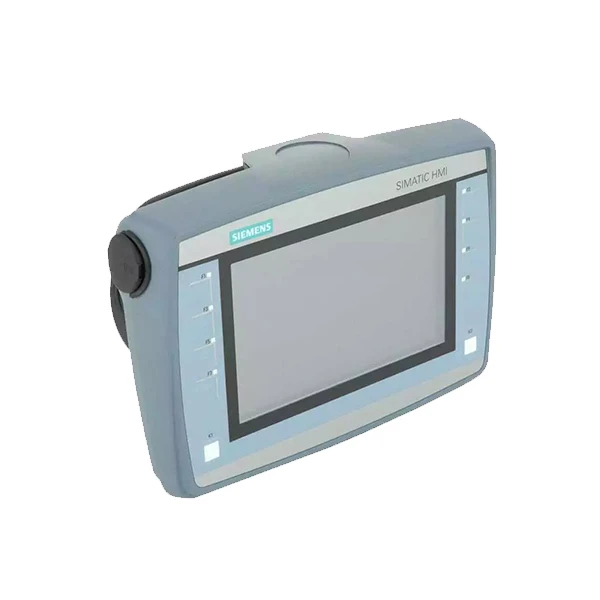
Although these are older generations of Siemens PLCs, they are still widely used in many existing industrial systems. They can also be connected to Siemens HMIs. You can use protocols like Profibus to establish a connection. Profibus is a well - established fieldbus protocol that provides a reliable way to communicate between the PLC and the HMI. For instance, if you have an old - school production line using a SIMATIC S7 - 300 and you want to upgrade the HMI to a modern SIMATIC HMI KTP700 Mobile, you can use Profibus to make it work.
Non - Siemens PLCs Compatible with Siemens HMIs
Mitsubishi PLCs
Some Mitsubishi PLCs can also be connected to Siemens HMIs. However, this usually requires the use of gateways or communication modules. For example, you can use a gateway that supports both the communication protocol of the Mitsubishi PLC (like MELSECnet/10) and a protocol that the Siemens HMI can understand, such as Modbus TCP. This way, you can bridge the gap between the two different brands of devices and still achieve the desired data exchange.

Allen - Bradley PLCs
Similarly, Allen - Bradley PLCs can be integrated with Siemens HMIs. Again, gateways are often used to enable communication. For example, a gateway that can translate between the ControlNet protocol used by some Allen - Bradley PLCs and a protocol like Ethernet/IP, which can be understood by the Siemens HMI. This allows operators to use a Siemens HMI to monitor and control an Allen - Bradley - based automation system.
Factors to Consider When Connecting PLCs to Siemens HMIs
Communication Protocols
As mentioned earlier, communication protocols play a crucial role in connecting PLCs to HMIs. Make sure that the PLC and the HMI support the same protocol or that you can use a gateway to translate between different protocols. For example, if you're using a PLC that only supports Modbus RTU and an HMI that only supports Profinet, you'll need a gateway to make the connection work.
Data Compatibility
The data types and formats used by the PLC and the HMI need to be compatible. For instance, if the PLC stores temperature data as a floating - point number and the HMI expects an integer value, you'll need to configure the data conversion on either the PLC or the HMI side.
Performance Requirements
Consider the performance requirements of your application. If you need high - speed data transfer and quick response times, choose a combination of PLC and HMI that can support these requirements. For example, if you're running a high - speed packaging line, you'll need a PLC and HMI combination that can handle the fast - paced data exchange.
Troubleshooting Common Connection Issues
Connection Errors
If you're having trouble establishing a connection between the PLC and the HMI, first check the physical connections. Make sure that all cables are properly plugged in and that there are no loose connections. Also, check the network settings on both the PLC and the HMI to ensure that they are configured correctly.
Data Transfer Problems
If the data is not being transferred correctly between the PLC and the HMI, check the data mapping and configuration. Make sure that the data tags on the PLC and the HMI are correctly mapped. Sometimes, a simple misconfiguration of a data tag can cause data transfer issues.
Conclusion
In conclusion, there are many types of PLCs that can be connected to Siemens HMIs, both Siemens - branded and non - Siemens ones. Whether you're using a small - scale SIMATIC S7 - 1200 for a simple project or a large - scale SIMATIC S7 - 1500 for a complex automation system, there's a way to connect it to a Siemens HMI. And if you're using non - Siemens PLCs, with the help of gateways, you can still achieve seamless integration.
If you're in the market for a Siemens HMI and need help with connecting it to your PLC, or if you're looking for advice on which PLC - HMI combination is right for your project, don't hesitate to reach out. We're here to assist you in making the best choices for your industrial automation needs.
References
- Siemens Industrial Automation and Drives Systems Manuals
- Mitsubishi Electric Automation Documentation
- Rockwell Automation (Allen - Bradley) Technical Guides


