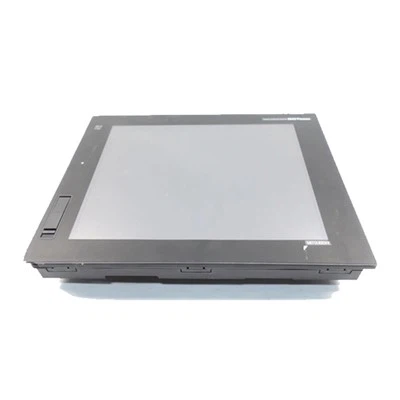
Siemens 6ES7326-1BK02-0AB0
Brand: Mitsubishi
Model: GT1050-QBBD-C


Inventory situation: Goods are available in stock.
Product features
The Mitsubishi GT1050-QBBD-C is a dependable compact human-machine interface (HMI) from Mitsubishi Electric's renowned GOT1000 series, specifically intended for industrial automation requirements. The 5.7-inch touch screen HMI has a clear STN monochrome display with 16 levels of gray and a QVGA resolution of 320×240 pixels. This makes operational data easy to read even in hectic manufacturing situations. The tiny size of 164mm wide, 135mm high, and 56mm deep makes it ideal for narrow control panels. The panel cutout size of 153×121mm allows for easy flush mounting.
The Mitsubishi GT1050-QBBD-C comes with practical hardware, including a 64-bit processor and 3MB flash ROM for storing engineering data and operating systems, with up to 100,000 write cycles for long-term use. The matrix resistive touch screen is long-lasting, with a lifespan of more than 1 million presses and the capacity to handle two-point simultaneous touches, allowing operators to program up to 50 touch keys per panel. The built-in GT10-50BAT lithium battery retains data for approximately 5 years at 25℃, increasing reliability to daily operations.
The Mitsubishi GT1050-QBBD-C has various standard interfaces for easy connectivity, including USB Mini-B for fast 12Mbps data transfer, as well as RS-232 and RS-422/RS-485 ports. It interfaces seamlessly with Mitsubishi PLCs such as the FX series, as well as other industrial devices, and has the FA transparent function for simple PLC program monitoring and editing. This compatibility makes it an excellent alternative for older versions such as the F940GOT-LWD-C and F940GOT-BWD-C, allowing systems to be upgraded without requiring extensive overhauls.
Specifications
|
Model |
GT1050-QBBD-C |
|---|---|
|
Product Series |
GOT1000 Series - GT10 Compact Graphic Operation Terminal |
|
Product Type |
Human Machine Interface (HMI) / Touch Panel Operator Interface |
|
Screen Size |
5.7 inches |
|
Display Type |
STN monochrome LCD (blue/white) |
|
Resolution |
QVGA (320×240 pixels) |
|
Display Grayscale |
16 levels of grayscale |
|
Backlight |
High-brightness cold cathode backlight (white/blue) |
Precautions
When installing the Mitsubishi GT1050-QBBD-C, a tiny HMI from Mitsubishi's GOT1000 series, turn off all phases of the external power source first. This prevents device failure or malfunction due to live operation. Before touching the unit, discharge static electricity from your body by touching a grounded metal surface; static electricity might damage the Mitsubishi GT1050-QBBD-C's internal components. Tighten the screws to the recommended torque range when mounting it to the control panel; undertightening may result in dropping, short circuits, or impaired waterproof performance, whilst overtightening may harm the screws or the device.
Never let water droplets or soft things attach to the Mitsubishi GT1050-QBBD-C's touch screen, since this can result in incorrect touch responses. To clean the screen, use a soft dry cloth or one wet with industrial alcohol or glass cleaner, wiping gently from the center to the edges. If the touch response slows, look for water droplets on the screen or old system software. If the pointer moves in the opposite direction as the touch, check that the connection between the control box and the screen is reversed or that the screen is mounted upside down.
When dealing with the Mitsubishi GT1050-QBBD-C's power supply and wiring, use a DC24V power supply and place a ferrite filter (such as the TDK ZCAT3035-1330) on the power cable within 75mm of the power terminals to ensure electromagnetic compatibility. Control or communication wires should not be bundled with main circuit or power wiring; maintain them at least 100mm apart to avoid interference from electrical noise, which can cause failures.
FAQ
Hot Tags: mitsubishi gt1050-qbbd-c, China mitsubishi gt1050-qbbd-c suppliers, Mitsubishi GT2510 VTWD, mitsubishi hmi, Mitsubishi GOT 1000 GT1695M XTBA