



A machine restarts after a weekend power outage, and the PLC comes back up with its parameters reset to factory defaults. Or an HMI panel that ran perfectly for three years suddenly forgets its recipe screens overnight. Most maintenance teams jump straight to "the PLC is dying" or "we need a whole new panel." Often, the real cause is much smaller: a tiny non-volatile memory chip called EEPROM, or the circuitry that supports it.
This guide breaks down what EEPROM actually does inside your PLC, HMI, and VFD, how to tell a memory-related fault from other failures, and what to do once you have confirmed the problem. It is written for people who maintain and specify industrial control equipment, not for chip designers, so we will stay focused on what matters on the plant floor.
What Is EEPROM, and Why Does Your PLC Need It?
What EEPROM actually is
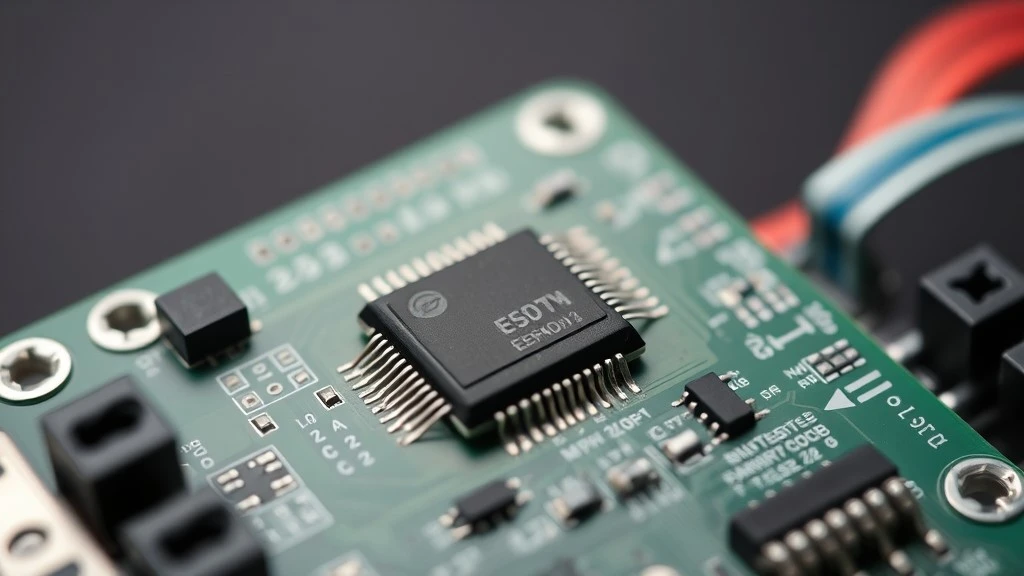
EEPROM (Electrically Erasable Programmable Read-Only Memory) is a type of non-volatile memory. That means it holds its data even after power is removed, unlike standard RAM, which loses everything the moment it loses power. This single property is why a PLC, HMI, or VFD can be unplugged, shipped, sit in a warehouse, and still boot up with the same program and settings months later. Without EEPROM or a similar non-volatile memory, every controller would need to be reprogrammed from scratch after every power cycle, which is obviously not practical on a production line.
What actually lives in non-volatile memory
Not every piece of data inside your equipment sits in the same place, and lumping it all together is where a lot of confusion starts. Here is a simple breakdown of what typically depends on non-volatile storage in each device type:
|
Device |
Typical data stored in non-volatile memory |
|
PLC |
User program (ladder logic, function blocks), retentive data, communication settings |
|
HMI |
Screen layouts, recipes, alarm configurations, historical trend setup |
|
VFD |
Motor parameters, acceleration and deceleration curves, calibration and fault history |
A PLC is protecting your control logic. An HMI is protecting the interface your operators rely on every shift. A VFD is protecting the exact motor tuning that took someone hours to get right. When any of these gets wiped, the cost is measured in downtime, not in a replaced chip.
Quick question: Is EEPROM the same as the battery-backed memory in my PLC?
No, and this mix-up causes a lot of unnecessary panic on the plant floor. See the next section for the difference.
EEPROM vs. Flash vs. Battery-Backed RAM: Memory Roles Inside a Controller
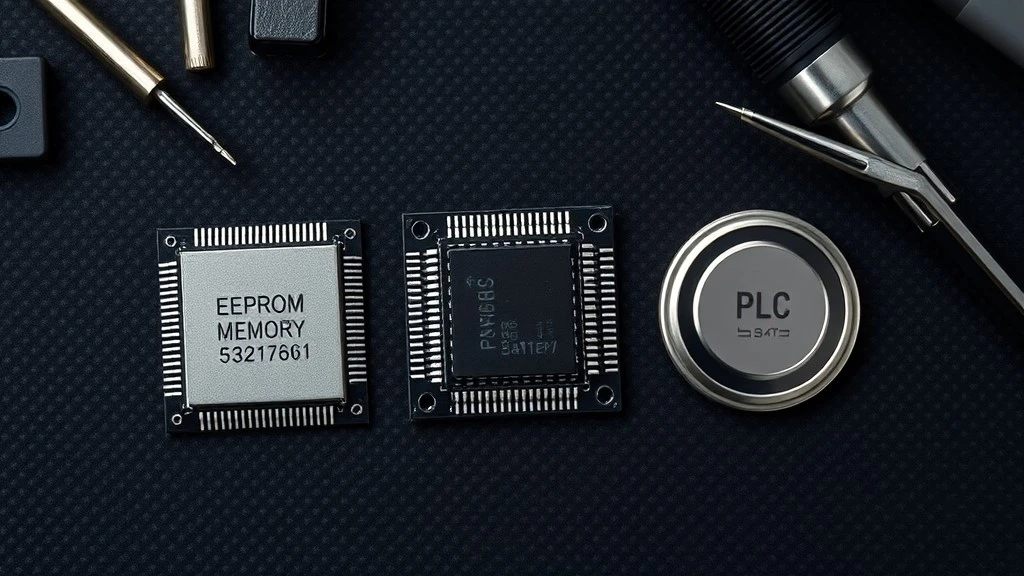
Most industrial controllers do not rely on a single type of memory. They combine two or three, and each one has a specific job.
|
Memory type |
How it's written |
Typical endurance |
Data retention without power |
Common role in a PLC |
|
EEPROM |
Electrically, byte by byte |
Up to around 1,000,000 write cycles |
Years, often 10 to 20+ |
Small settings, parameters, calibration data |
|
Flash |
Electrically, in larger blocks |
Roughly 10,000 to 100,000 write cycles |
Years, similar range to EEPROM |
Firmware, larger user programs |
|
Battery-backed RAM |
Instantly, no special write process |
Effectively unlimited |
Only as long as the battery lasts |
Retentive data, real-time clock, live counters |
This is exactly why a single PLC often uses all three. Flash or EEPROM stores the program and configuration so it survives shipping, storage, and long shutdowns. Battery-backed RAM handles data that needs to update constantly, like running counters or the clock, without wearing out a chip that has a finite number of write cycles.
Why your PLC still needs a battery if EEPROM doesn't lose data
If EEPROM already holds data without power, why do so many CPUs still have a battery slot? The battery is not there to protect the EEPROM. It is there to keep the real-time clock running and to preserve retentive RAM data (things like current counter values or timers mid-cycle) between power cycles. When that battery dies, you will often see the clock reset or certain retentive values return to zero, which can look identical to a memory chip failure if you don't know what to check first.
If you want to see how this plays out on a specific model, our Ultimate Guide to the Siemens S7-1200 PLC covers the CPU's backup battery slot and what it is actually protecting.
How EEPROM Works Inside a PLC or HMI Module
You do not need a semiconductor physics background to maintain this equipment, but a basic picture of what is happening inside the chip makes the failure symptoms in the next section much easier to understand.
The floating gate, in plain terms
Inside each EEPROM cell is a small structure called a floating gate, trapped between insulating layers. Electrons can be pushed onto or off of it using an electrical charge, and whichever state it lands in represents a binary 1 or 0. Because the gate is electrically isolated, the charge stays put even after power is removed, which is the entire reason this type of memory is non-volatile. Think of it as a microscopic switch that stays in position after you let go of it.
Why byte-level erasing matters to you
The practical detail that matters more than the physics is this: EEPROM can erase and rewrite data one byte at a time, rather than clearing a large block all at once the way some flash memory does. That is why a technician can change a single timer setpoint in a running PLC without re-downloading the entire program. It also means that under normal operation, a small parameter change is a low-risk, self-contained action. But when the chip itself is degrading or has failed, that precision stops working the way it should, and that is where things start to look like the symptoms described next.
Common EEPROM and Memory Failure Symptoms in Industrial Equipment
Not every glitch is a memory failure. But these four patterns are the ones most commonly traced back to a failing EEPROM, a worn-out storage chip, or the related backup circuitry.
Program loss or automatic clearing
The PLC boots with no program loaded, or a program that was there yesterday is simply gone. This is often linked to a write operation that was interrupted, for example a power loss occurring during a program download or an internal save operation. It tends to be sudden and total, rather than a gradual change in behavior.
Parameters reset to factory defaults
Settings that took real time to configure suddenly revert to out-of-the-box values. As noted above, this can come from a dead backup battery just as easily as from a failing EEPROM. The quickest way to tell them apart is to check whether the real-time clock has also reset. If the clock is wrong and settings are wrong, suspect the battery first. If the clock is fine but stored parameters are gone, the memory chip is a more likely culprit.
Communication errors or repeated restarts
Some controllers will throw communication faults or drop into a restart loop when internal memory becomes corrupted, since the system cannot reliably read its own configuration. This symptom is easy to mistake for a wiring or network issue, so it is worth ruling out cabling and addressing conflicts before assuming it is a memory fault.
Signs of write-cycle exhaustion
EEPROM has a finite number of write and erase cycles, typically rated in the hundreds of thousands. Equipment that writes to memory very frequently (for example, a station that logs a value or updates a setpoint on every single cycle) can wear a cell out over years of continuous operation. The telltale sign here is intermittent, worsening memory errors on a device that has been in frequent, high-write-cycle service for a long time, rather than a sudden failure on a device with a light duty cycle.
Quick self-check before you call it a memory fault:
- Did the issue appear right after a power interruption?
- Has the real-time clock also reset?
- Is the device on a high-frequency write cycle (frequent parameter or data logging)?
- Does the fault clear after a fresh program download, or does it return immediately?
- Are there any manufacturer-specific error codes pointing to a memory fault?
If several of these point the same direction, you are likely dealing with a genuine memory issue rather than a wiring, communication, or power supply problem. For a closer look at how these symptoms show up in real fault codes, see our guides on troubleshooting common Siemens S7-1500 PLC errors and Siemens LOGO! PLC error codes, both of which include memory-related fault codes and what to check.
EEPROM Architecture by Brand: Siemens, Allen-Bradley, Mitsubishi, Schneider, Omron
Not every major brand handles non-volatile storage the same way, and this matters if you support equipment from more than one manufacturer.
|
Brand |
Typical storage approach |
Notable memory hardware |
Battery required? |
|
Siemens |
Internal memory plus removable SIMATIC memory card |
MMC/SD memory card (S7-1200/1500 series) |
Optional, depends on CPU and retentive data needs |
|
Allen-Bradley |
Removable EEPROM memory module on many legacy models |
1747-M series memory modules (SLC 500) |
Often required for RTC and retentive data |
|
Mitsubishi |
Internal program memory plus separately addressed data areas |
Built-in flash/EEPROM, model-dependent |
Varies by series |
|
Schneider |
Program memory and data memory managed separately within the CPU |
Internal non-volatile memory, some models support memory cards |
Varies by model |
|
Omron |
Internal non-volatile memory, with memory cassette options on some series |
Battery or capacitor-backed models exist depending on series |
Varies by series |
Siemens CPUs in the S7-1200 and S7-1500 families rely on a removable memory card for firmware, the user program, and recipe data, which is why swapping that card is often the first step technicians take during a repair. Allen-Bradley's SLC 500 line is a good example of EEPROM as a physically separate, swappable module rather than a chip soldered to the board, which makes replacement more straightforward but also means the module itself can be lost or damaged in the field. Mitsubishi's FX and Q series controllers manage program memory and data memory as distinct internal areas. If you want to go deeper into how Mitsubishi structures internal memory addressing (its X, Y, M, and D data areas), our earlier post on the memory structure of a Mitsubishi PLC covers that programming-level detail. This article focuses on the storage hardware itself and how it fails, which is a different, and complementary, angle. Schneider controllers generally keep program and data memory internal with less reliance on removable cards across their mid-range lineup. Omron varies more by series, with some models using a battery or capacitor to bridge short outages and others relying more heavily on non-volatile chips.
For VFDs specifically, this same logic applies to motor parameter storage: a drive that suddenly reverts to default acceleration curves or loses its tuning data after a power event is showing the same category of fault, just on a variable frequency drive rather than a PLC or HMI.
How to Back Up and Restore PLC or HMI Programs
Backup methods by brand, briefly
The exact steps vary by manufacturer and programming software, so treat this as an overview rather than a full walkthrough. For Siemens controllers, TIA Portal allows you to save a full project file, and many CPUs let you copy that data directly onto the removable memory card as a physical backup you can store separately from the device. Allen-Bradley, Mitsubishi, Schneider, and Omron all offer similar project-save functions through their respective programming environments (Studio 5000, GX Works, EcoStruxure Control Expert, and CX-Programmer or Sysmac Studio), and in most cases the safest practice is to export a complete backup file immediately after any program change, not just periodically.

A short, practical backup routine
- Save a new backup immediately after any program or parameter change, not on a fixed schedule alone.
- Store backups off the device itself, ideally in at least two locations (local server and cloud, or local and a physical drive).
- Label each backup with the date and a short note on what changed, so you are not guessing which version is current during an emergency.
- Periodically confirm a backup actually restores correctly, rather than assuming the file is valid because it exists.
Repair, Replace, or Upgrade? A Decision Guide for Memory Failures
When repair makes sense
Repair is worth considering when the fault is isolated and confirmed (for example, a corrupted program that clears after a fresh download and reset), the rest of the CPU or module is functioning normally, and the equipment is not near end of life or already scheduled for replacement. If the issue resolves cleanly after reloading the program and checking the battery, you likely do not need new hardware at all.
When replacement is the better call
Replacement becomes the more sensible option when the same memory fault keeps recurring after a clean reload, when the device is an older or discontinued model where support and spare parts are becoming harder to source, or when downtime cost clearly outweighs the price difference between a quick swap and an extended repair attempt. For write-cycle exhaustion in particular, once a chip is genuinely worn out, no amount of reprogramming fixes it permanently.
Original vs. compatible or refurbished memory modules
If you do decide to replace a memory module or storage card, it is worth understanding the tradeoffs before you buy. Original manufacturer parts carry the most predictable compatibility and firmware support, but can come with longer lead times depending on the model's age. Compatible or refurbished modules can be a practical option for older or discontinued equipment, but sourcing matters: verify the part has been tested, confirm it matches your exact CPU firmware revision, and buy from a supplier who can document the part's condition and origin. A mismatched or poorly tested module is one of the most common reasons a "quick fix" turns into a second outage.
Not sure whether your current fault is worth repairing or if you need a reliable replacement memory module or PLC/HMI unit for a specific brand and model? Browse our PLC, HMI, and VFD modules by brand or send us your model details for a quote, and we can help you confirm compatibility before you order.
Conclusion
The next time a PLC forgets its program or an HMI resets to defaults after a power event, you now have a starting point that goes beyond "just replace the whole panel." Check the clock first, run through the self-check list above, and confirm whether you are dealing with a battery issue, a corrupted write, or genuine memory wear before deciding on repair or replacement. That one extra step can be the difference between a five-minute fix and an unnecessary hardware order.
FAQ

What is the typical lifespan of EEPROM in a PLC?
Why did my PLC lose its program after a power outage?
How often should I back up my PLC program?
Can a failed EEPROM be repaired, or does the whole module need replacing?
What's the difference between EEPROM and flash memory in industrial controllers?
How do I know if I need an original or a compatible replacement memory module?


