

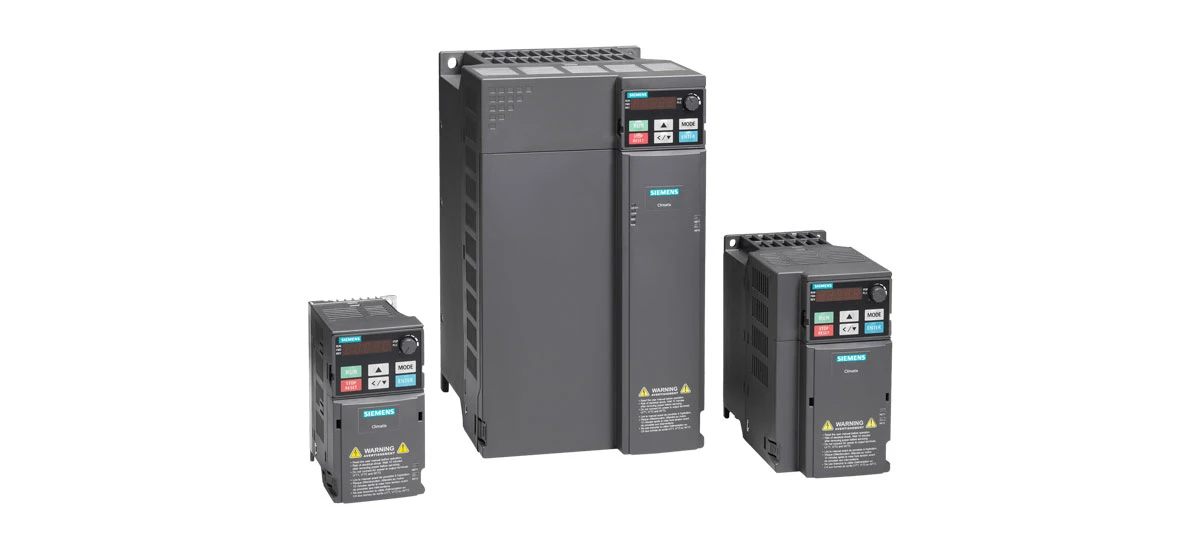
Variable Frequency Drives (VFDs) are essential tools in modern industry, and Siemens VFDs stand out for their reliability, efficiency, and versatility. But to keep a Siemens VFD working well for years, proper thermal management is key. Siemens VFD thermal management includes three critical parts: cooling systems, derating curves, and enclosure design. Each part works together to prevent overheating, protect the drive's internal components, and ensure it operates at its best. In this blog, we'll break down each component in simple terms, explain why they matter, and share practical tips for maintaining your Siemens VFD's thermal health. Whether you're new to Siemens VFDs or looking to improve your existing system, this guide will help you understand the basics of Siemens VFD thermal management.
Understanding Siemens VFD Thermal Management
First, let's answer a simple question: What is thermal management for a Siemens VFD? When a Siemens VFD runs, it converts electrical energy to control the speed of electric motors. This process creates heat, and too much heat can damage the drive's parts, like semiconductors and capacitors. Siemens VFD thermal management is the set of tools and designs that remove excess heat, keep temperatures within safe limits, and ensure the drive works reliably. Without good thermal management, a Siemens VFD may shut down unexpectedly, wear out faster, or even fail permanently. That's why every Siemens VFD is built with thermal management features, and knowing how they work can help you get the most out of your drive. Siemens VFD thermal management is not just an add-on-it's a core part of the drive's design, made to match the needs of different industrial applications.
Siemens VFD Cooling Systems: Keeping the Drive Cool
Cooling systems are the first line of defense against overheating in a Siemens VFD. Siemens designs different cooling systems to fit different drive sizes, power levels, and working environments. The right cooling system ensures that heat from the Siemens VFD is removed quickly, keeping the drive at a safe operating temperature. Let's look at the most common Siemens VFD cooling systems types and how they work.
1. Natural Cooling (Passive Cooling)
Natural cooling is the simplest type of cooling for small Siemens VFDs. It uses heat sinks-metal parts that absorb heat from the drive's internal components-and lets the heat escape into the surrounding air naturally. This system has no fans or moving parts, so it's quiet and requires little maintenance. Siemens VFD models like the SINAMICS V10 (with small size A) use natural cooling because they produce less heat. Natural cooling works best in cool, well-ventilated areas where the ambient temperature stays between 0°C and 40°C. If the area is too hot or cramped, natural cooling may not be enough, and you'll need a more powerful cooling system for your Siemens VFD.
2. Forced Air Cooling (Active Cooling)
Most medium-sized Siemens VFDs use forced air cooling, which adds fans to blow cool air over the heat sinks. This moves heat away faster than natural cooling, making it ideal for drives that produce more heat, like the SINAMICS V10 (sizes B, C, D) and smaller SINAMICS G120 models. The fans are usually built into the Siemens VFD and turn on automatically when the drive gets too warm. For larger industrial applications, Siemens offers the SINAMICS Perfect Harmony GH150, the world's largest single-channel air-cooled VFD, with power ratings up to 45,000 hp. This drive has multiple forced air cooling options, including ducting and air-to-air heat exchangers, to fit different plant needs. Forced air cooling is simple to maintain-you just need to clean the air filters regularly to keep air flowing freely through the Siemens VFD.
3. Water Cooling (Liquid Cooling)
For high-power Siemens VFDs or drives in hot, dusty, or tight spaces, water cooling is the best choice. Water is better at absorbing heat than air, so it can cool large Siemens VFDs like the SINAMICS S120 and SINAMICS Perfect Harmony models more efficiently. Water cooling systems circulate cool water through tubes attached to the drive's heat sinks, carrying heat away to a separate cooling unit. This system is quiet and keeps the Siemens VFD cool even in high-ambient temperatures. It's also great for clean rooms or factories where dust is a problem, since water cooling doesn't require air intake (which can bring in dust). Siemens VFD water cooling systems are designed to be reliable, with features to prevent leaks and maintain water quality.
Siemens VFD Derating Curves: Knowing Your Drive's Limits
Even with a good cooling system, a Siemens VFD can't always run at its full power. That's where derating curves come in. A derating curve is a graph that shows how much power a Siemens VFD can safely produce at different ambient temperatures. When the temperature goes up, the drive's maximum power goes down-this is called derating. Understanding how to use Siemens VFD derating curves is crucial to avoid overheating and damage. Let's break down what you need to know about derating curves for your Siemens VFD.
What Are Siemens VFD Derating Curves?
Every Siemens VFD comes with a derating curve (usually in the user manual) that tells you the drive's maximum output power at different temperatures. For example, a Siemens VFD might run at 100% power when the ambient temperature is 40°C, but only 80% power when the temperature rises to 50°C. This is because higher temperatures make it harder for the cooling system to remove heat, so the drive has to reduce power to avoid overheating. Derating curves also account for other factors, like altitude-if you install a Siemens VFD above 1000 meters, the air is thinner and less effective at cooling, so the drive will derate by about 5% for every 1000 meters above sea level. Knowing these limits helps you choose the right Siemens VFD for your environment and use it safely.
Factors That Affect Siemens VFD Derating
Several factors can cause a Siemens VFD to derate, and the derating curve takes all of them into account. The most common factors are: Ambient Temperature: This is the temperature of the air around the Siemens VFD. Most Siemens VFDs are rated for ambient temperatures up to 40°C, and derate as temperatures rise above that (usually 2.5% per 1°C above 40°C, up to 55°C). Altitude: As mentioned, higher altitudes reduce air density, making cooling less effective. Siemens VFDs typically derate 5% for every 1000 meters above 1000 meters, with a maximum altitude of 3000 meters. Enclosure Type: A sealed enclosure traps heat, so a Siemens VFD in a sealed enclosure will derate more than one in an open enclosure. Ventilation: Poor ventilation means heat can't escape, so the Siemens VFD will derate to compensate. By understanding these factors, you can adjust your Siemens VFD's use or environment to minimize derating and keep it running at full power when possible.
How to Use Siemens VFD Derating Curves
Using a Siemens VFD derating curve is easy. First, find the ambient temperature in your facility (where the Siemens VFD is installed). Then, look at the derating curve to find the corresponding maximum power the drive can safely produce. For example, if your Siemens VFD's derating curve shows 90% power at 45°C, and your facility's temperature is 45°C, you should not run the drive above 90% of its rated power. If you ignore the derating curve and run the Siemens VFD at full power in high temperatures, it may overheat, trigger a shutdown, or damage internal components. Always check the derating curve before installing or using your Siemens VFD-this simple step can save you from costly repairs and downtime. Learning how to use Siemens VFD derating curves is one of the best ways to ensure your drive's long-term reliability.
Siemens VFD Enclosure Design: Protecting and Cooling the Drive
The enclosure of a Siemens VFD is more than just a case-it's an important part of thermal management. A well-designed enclosure protects the Siemens VFD from dust, water, and physical damage, while also helping to dissipate heat. Siemens offers different enclosure designs to fit different environments, from clean factories to harsh outdoor settings. Let's look at the key features of Siemens VFD enclosure design and how they support thermal management, including Siemens VFD enclosure protection classes.
Siemens VFD Enclosure Protection Classes (IP Ratings)
Siemens VFD enclosures are rated by IP (Ingress Protection) codes, which tell you how well they protect against dust and water. The IP code has two numbers: the first number is dust protection (0-6), and the second is water protection (0-8). For example, IP20 enclosures are for control cabinet components, protecting against fingers and large objects but not dust or water. IP65 enclosures are fully dust-tight and protect against low-pressure water jets, making them ideal for outdoor or dusty environments. The SINAMICS Perfect Harmony GH150 has an IP54 rating (with a heat exchanger), while the SINAMICS GH180 has a standard IP21 rating (ventilated) with options for IP42. Choosing the right IP rating for your Siemens VFD's environment is key-if the enclosure is too open, dust and water can damage the drive; if it's too sealed, heat can't escape.
Enclosure Design for Heat Dissipation
Siemens VFD enclosures are designed to work with the drive's cooling system to dissipate heat. Open or ventilated enclosures (like IP21 or IP54) have vents that let cool air flow in and hot air flow out, supporting forced air cooling. Sealed enclosures (like IP67 or IP68) use heat sinks or internal fans to cool the Siemens VFD without letting in dust or water. For example, the SINAMICS V10 uses a wall-mounted enclosure that can be installed in well-ventilated areas, while the SINAMICS S120 uses a larger enclosure with built-in heat sinks for better heat dissipation. When installing a Siemens VFD, make sure the enclosure has enough space around it for air circulation-crowded enclosures trap heat, which can cause the drive to derate or fail. Siemens also offers SIPLUS extreme enclosures for harsh environments, designed to handle extreme temperatures and protect the VFD.
Choosing the Right Enclosure for Your Siemens VFD
To choose the right enclosure for your Siemens VFD, consider your environment: Indoor, Clean Areas: Use an open or ventilated enclosure (IP20 or IP54) for easy heat dissipation. These are ideal for factories with controlled temperatures and low dust. Outdoor or Dusty Areas: Use a sealed enclosure (IP65, IP67, or IP68) to protect against dust, rain, and other elements. The Siemens SINAMICS Perfect Harmony GH150's IP54 enclosure is a good choice for these settings. Harsh Environments: Use a SIPLUS extreme enclosure, which is designed for extreme temperatures, humidity, and corrosion. By matching the enclosure to your environment, you'll protect your Siemens VFD and ensure its cooling system works effectively. A well-chosen enclosure is a key part of Siemens VFD thermal management.
Siemens VFD Thermal Management Best Practices
Now that you understand the three key parts of Siemens VFD thermal management-cooling systems, derating curves, and enclosure design-here are some best practices to keep your Siemens VFD running cool and reliable. These tips will help you avoid overheating, reduce downtime, and extend the life of your drive, following Siemens VFD thermal management best practices.
- Keep the cooling system clean: For forced air cooling, clean the air filters regularly (every 1-3 months, depending on dust levels) to keep air flowing. For water cooling, check for leaks and maintain water quality to prevent clogs.
- Monitor ambient temperature: Keep the area around the Siemens VFD cool (ideally below 40°C) and well-ventilated. Avoid placing the drive near heat sources like motors or furnaces.
- Follow derating curves: Never run the Siemens VFD above the power limit shown on the derating curve for your environment. If you need more power, consider a larger drive or improve cooling.
- Choose the right enclosure: Match the enclosure's IP rating to your environment to protect the drive and support heat dissipation. Don't seal a drive that needs ventilation.
- Check for airflow: Make sure there's at least 10-15 cm of space around the Siemens VFD for air circulation. Crowded or blocked enclosures trap heat.
Conclusion: Why Siemens VFD Thermal Management Matters
Siemens VFD thermal management is essential for keeping your drive reliable, efficient, and long-lasting. Cooling systems remove excess heat, derating curves tell you the drive's limits, and enclosure design protects the drive while supporting cooling. By understanding these components and following best practices, you can avoid costly downtime, extend the life of your Siemens VFD, and get the most out of your investment. Siemens VFDs are built with high-quality thermal management features, but proper care and maintenance are key to maximizing their performance. Whether you're using a small SINAMICS V10 or a large SINAMICS Perfect Harmony GH150, Siemens VFD thermal management is the foundation of a reliable industrial system. If you have questions about your Siemens VFD's thermal management, check the user manual or contact Siemens support for guidance.


