

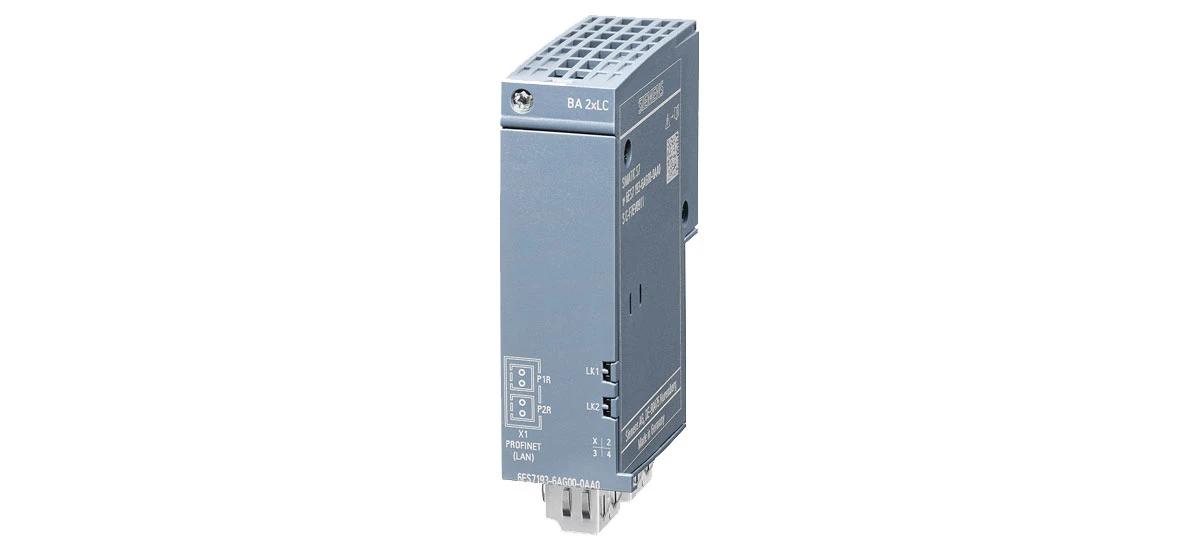
In the field of industrial automation, SIMATIC ET 200SP is a widely used and important device. It serves as a key component in distributed control systems, helping in controlling and monitoring various industrial processes such as assembly lines, packaging machines, and chemical production units. However, like any other equipment, SIMATIC ET 200SP can encounter errors that may disrupt the smooth operation of the system. Knowing how to identify and solve these common errors is essential for maintaining efficient industrial processes, reducing downtime, and ensuring productivity.
Power - Related Issues with SIMATIC ET 200SP
One of the most common problems faced with SIMATIC ET 200SP is power - related issues. These can stop the device from functioning altogether, leading to unexpected shutdowns of the entire automation system.
No Power Supply to SIMATIC ET 200SP
If your SIMATIC ET 200SP is not getting any power, the first thing to check is the power source. Make sure the power cable is properly plugged into the socket and the device's power input port. Sometimes, the socket may be faulty due to loose wiring or a tripped circuit breaker. You can test the socket by plugging in another device, such as a lamp or a small motor, to see if it works. If the socket is fine, check the power cable for any signs of damage, such as cuts or frays on the outer insulation. A damaged cable should be replaced immediately with a cable that meets the device's power specifications. Also, check the power switch on the device to ensure it is turned on. In some cases, the power indicator light on the SIMATIC ET 200SP may not turn on even if the switch is on, which indicates a more serious power supply issue that might require professional repair.
Fluctuating Power Supply for SIMATIC ET 200SP
Fluctuating power can cause the SIMATIC ET 200SP to behave erratically, such as sudden restarts or incorrect data readings. This might be due to unstable voltage from the main power supply, which is common in areas with heavy machinery usage. To solve this, you can use a voltage stabilizer with a suitable capacity for the SIMATIC ET 200SP and other connected devices. A voltage stabilizer helps in maintaining a steady voltage supply (usually within the range of 220V ± 10% for most industrial devices) to the device, protecting it from damage caused by voltage fluctuations. It is a good investment to ensure the smooth running of your SIMATIC ET 200SP, as consistent power is crucial for its internal components to function properly.
Connection Problems of SIMATIC ET 200SP
Another set of common errors with SIMATIC ET 200SP is related to connections. Poor or faulty connections can lead to communication issues between the device and other components, resulting in data loss or system delays.
Loose Connections in SIMATIC ET 200SP
Loose connections are a frequent issue, especially in industrial environments with constant vibrations from nearby machines. Check all the connectors and cables that are connected to the SIMATIC ET 200SP, including the backplane bus connectors and module connectors. Make sure they are firmly plugged in until you hear a slight clicking sound, which indicates a secure fit. Over time, vibrations can cause even the tightest connections to become loose, so it is recommended to inspect and tighten them at least once a month. This is especially important for SIMATIC ET 200SP module connection issues, as even a slightly loose module can disrupt the entire system's communication chain.
Faulty Communication Cables for SIMATIC ET 200SP
Communication cables, such as PROFINET cables, are crucial for the SIMATIC ET 200SP to interact with other devices like PLCs and HMI panels. If there is a problem with these cables, the device may not be able to send or receive data, leading to process errors. Inspect the communication cables for any damage, such as bent pins in the connectors or cracks in the cable sheath. If you find a damaged cable, replace it with a new one that is compatible with SIMATIC ET 200SP and meets industrial standards (like Cat5e or Cat6 for PROFINET). Also, ensure that the cables are properly routed through cable trays or conduits and not bent or twisted excessively, as this can damage the internal wires and affect signal transmission.
Error Codes on SIMATIC ET 200SP
SIMATIC ET 200SP displays error codes on its front panel LED to indicate specific problems. Understanding these error codes is key to troubleshooting, as it helps in identifying the root cause quickly.
Error Code E01 on SIMATIC ET 200SP
Error code E01 usually indicates a problem with the internal memory of the SIMATIC ET 200SP, such as corrupted data or insufficient memory. To fix this, try resetting the device. Turn off the power, wait for at least 30 seconds to allow the capacitors to discharge, and then turn it back on. If the error persists, check if there is any software update available for the device on the manufacturer's website. Installing the latest software can often resolve memory - related issues by fixing bugs and optimizing memory usage. This is part of SIMATIC ET 200SP error code troubleshooting that can save time compared to manual diagnostics.
Error Code E02 on SIMATIC ET 200SP
Error code E02 is related to overheating of the SIMATIC ET 200SP. The device has a built - in mechanism to shut down when its internal temperature exceeds 60°C (140°F) to prevent damage to sensitive components. Check the environment where the device is installed. Ensure that there is proper ventilation, with a minimum clearance of 10cm (4 inches) around the device for airflow. Make sure the device is not placed near heat sources like boilers, furnaces, or large motors. Clean any dust or debris that may have accumulated on the device's vents using a soft brush or compressed air, as this can block the airflow and cause overheating. In hot industrial environments, consider installing a small fan near the device to improve cooling.
Error Code E03 on SIMATIC ET 200SP
Error code E03 indicates a failure in the input/output (I/O) modules of the SIMATIC ET 200SP. This can happen if a module is not properly installed or if it is defective. First, check if all I/O modules are correctly seated in their slots. Remove the module carefully, inspect the pins for any damage or dirt, and reinsert it firmly. If the error continues, try replacing the module with a spare one of the same type to see if the problem is resolved. This helps in determining whether the issue is with the module itself or the device's main board.
SIMATIC ET 200SP in Industrial Automation Troubleshooting: Software Issues
Software problems can also affect the performance of SIMATIC ET 200SP. These can range from incorrect configuration to software glitches, which can cause the device to operate outside its intended parameters.
Incorrect Configuration of SIMATIC ET 200SP
If the SIMATIC ET 200SP is not configured correctly, it may not work as expected, such as not responding to commands from the main controller. Check the configuration settings using the appropriate software tool, such as TIA Portal. Open the project file, navigate to the device configuration section, and compare the settings with the recommended configuration for your specific application (which can be found in the device's user manual). Pay special attention to parameters like input/output addresses, communication protocols, and module types. If there are any discrepancies, correct them and save the new settings, then download the updated configuration to the device. It is important to follow the user manual when configuring the device to avoid such issues, as incorrect settings can lead to system malfunctions.
Software Glitches in SIMATIC ET 200SP
Software glitches can cause the SIMATIC ET 200SP to freeze or behave unpredictably, such as sending wrong signals to connected equipment. In such cases, restarting the device can often fix the problem by clearing temporary software errors. If restarting doesn't work, reinstall the software. Make sure to use the correct version of the software that is compatible with your SIMATIC ET 200SP model, as using an incompatible version can cause more issues. Before reinstalling, back up any important configuration data to prevent data loss. You can do this by saving the project file in TIA Portal to an external storage device.
SIMATIC ET 200SP Communication Failure Solutions
Communication failure between SIMATIC ET 200SP and other devices is a common issue that can halt the industrial process, leading to significant downtime.
Network Configuration Issues
Incorrect network configuration is a major cause of communication failure. Check the network settings, such as IP address, subnet mask, and gateway, of the SIMATIC ET 200SP and the connected devices (like PLCs and SCADA systems). Ensure that all devices are on the same network segment, with IP addresses in the same range (for example, 192.168.1.xxx). The subnet mask should be the same for all devices (usually 255.255.255.0 for small networks), and the gateway should point to the correct router if communication with external networks is needed. You can use network diagnostic tools like Ping or Tracert to check for any network errors. For example, pinging the IP address of the SIMATIC ET 200SP from a connected computer can tell you if the device is reachable on the network. If the ping fails, check the network cables and switches for issues.
Firewall or Security Settings
Sometimes, firewall or security settings on the network or connected devices can block the communication between SIMATIC ET 200SP and other devices. This is because industrial communication protocols like PROFINET use specific ports that may be blocked by firewalls. Check the firewall settings on the network router and the connected computers or servers. Add exceptions for the SIMATIC ET 200SP's IP address and the relevant ports (such as port 102 for PROFINET). Ensure that the security protocols used, such as VPN or encryption, are compatible with the device, as some older security methods may not work with the SIMATIC ET 200SP's communication protocols. It is also a good practice to consult the IT department to ensure that the network security policies allow for the necessary communication with the device.
In conclusion, SIMATIC ET 200SP is an important device in industrial automation, and knowing how to troubleshoot its common errors is essential for maintaining a reliable and efficient production process. By addressing power issues, connection problems, error codes, software issues, and communication failures with the methods discussed, you can ensure the smooth operation of your SIMATIC ET 200SP. Remember to regularly inspect and maintain the device, follow the manufacturer's guidelines, and keep the software up to date to prevent errors from occurring. With the right knowledge and tools, troubleshooting SIMATIC ET 200SP can be a manageable task that helps minimize downtime and maximize productivity.


