


Hey there! As a supplier of Mitsubishi HMI, I often get asked if Mitsubishi HMIs can store historical data. Well, the answer is a big yes! In this blog, I'll break down how these nifty devices handle historical data storage, and why it's a game - changer for many industries.
First off, let's understand what an HMI (Human - Machine Interface) is. It's like the bridge between humans and machines. You use it to control and monitor industrial equipment, and it gives you real - time information about what the machine is doing. Mitsubishi HMIs are top - notch in the market, known for their reliability and advanced features.
So, how do they store historical data? Mitsubishi HMIs have built - in memory that can be used to store all sorts of data. This data can include things like machine operating times, production counts, temperature readings, and error codes. The HMIs are designed to collect this data at regular intervals, depending on how you set them up.
One of the cool things about Mitsubishi HMIs is their flexibility. You can configure them to store data based on different criteria. For example, you can set it to store data every few seconds, minutes, or hours. You can also choose to store only certain types of data. If you're only interested in production counts and error codes, you can tell the HMI to focus on those.
Let's talk about the different models. Take the MITSUBISHI HMI GT1695M - XTBA Touch Panel. This bad boy has a decent amount of internal memory that can hold a significant amount of historical data. It's great for medium - sized production lines where you need to keep track of various parameters over a period of time.
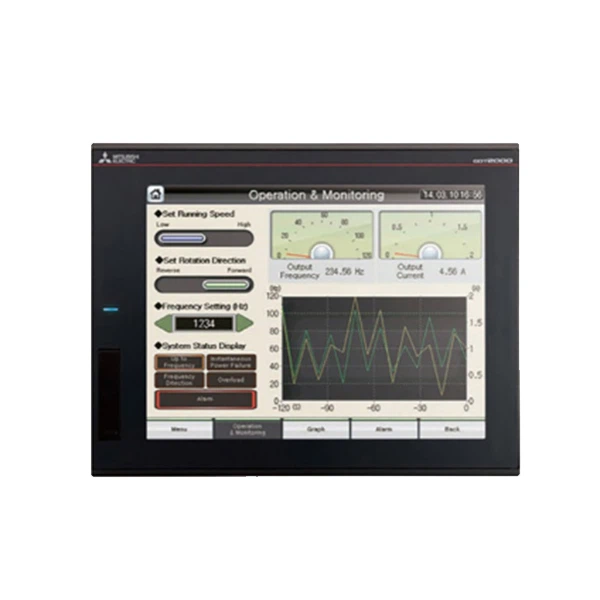
Another popular model is the Mitsubishi GT2512 - STBD HMI. It's a bit more powerful and has more memory capacity. This makes it suitable for large - scale industrial operations where there's a ton of data to be collected and stored. With this HMI, you can store historical data for long periods, which is super useful for in - depth analysis and troubleshooting.
The MITSUBISHI GT1662 - VNBA Touch Screen is also a great option. It's more budget - friendly but still offers reliable data storage capabilities. It's perfect for small businesses or projects with limited data storage needs.
Now, why is historical data storage so important? Well, it helps with process improvement. By analyzing historical data, you can identify patterns and trends. Maybe you notice that production slows down at a certain time of the day, or that a particular machine has more error codes during a specific shift. This information can be used to optimize your production processes, reduce downtime, and increase efficiency.
Historical data is also crucial for compliance. Many industries have regulations that require companies to keep records of their operations. Mitsubishi HMIs make it easy to meet these requirements by storing all the necessary data in an organized way.
Troubleshooting is another area where historical data shines. When a machine breaks down, you can look at the historical data to see what was happening before the failure. Maybe there were some abnormal temperature readings or a sudden increase in error codes. This can help you quickly identify the root cause of the problem and get the machine up and running again.
In addition to the internal memory, Mitsubishi HMIs also support external storage options. You can use USB drives or SD cards to expand the storage capacity. This is handy if you need to store a large amount of data or if you want to transfer the data to another device for further analysis.
The data stored in Mitsubishi HMIs can be accessed in different ways. You can view it directly on the HMI's touch screen. Most HMIs have user - friendly interfaces that allow you to navigate through the historical data easily. You can also export the data in various formats, such as CSV or Excel, which can be used for more detailed analysis using software like Microsoft Excel or specialized data analysis tools.
If you're worried about data security, Mitsubishi has got you covered. Their HMIs have built - in security features to protect the historical data. You can set up passwords and user permissions to ensure that only authorized personnel can access the data.
In conclusion, Mitsubishi HMIs are excellent at storing historical data. They offer a range of models to suit different needs and budgets, and they come with a host of features that make data collection, storage, and analysis a breeze. Whether you're a small business or a large industrial enterprise, having access to historical data can give you a competitive edge.

If you're interested in purchasing Mitsubishi HMIs for your business or have any questions about historical data storage, feel free to reach out. I'm here to help you find the right solution for your specific requirements. Let's start a conversation and see how we can make your operations more efficient with Mitsubishi HMIs!
References
- Mitsubishi Electric Corporation official documentation
- Industry reports on Human - Machine Interfaces


