


In today's interconnected industrial landscape, remote access to Siemens Human - Machine Interfaces (HMIs) has become a necessity for many businesses. It allows for real - time monitoring, troubleshooting, and control of industrial processes from anywhere in the world. As a Siemens HMI supplier, I understand the critical importance of ensuring the security of these remote access points. In this blog, I will share some key strategies and best practices to safeguard your Siemens HMI remote access.
1. Understand the Threat Landscape
Before implementing any security measures, it's essential to understand the potential threats that your Siemens HMI remote access system may face. Cybercriminals are constantly evolving their tactics, and industrial systems are increasingly becoming targets. Some common threats include:
- Malware Attacks: Malicious software can infect your HMI system, steal sensitive data, or disrupt operations. For example, ransomware can encrypt your system's data and demand a ransom for its release.
- Unauthorized Access: Hackers may attempt to gain unauthorized access to your HMI system to manipulate settings, steal information, or cause damage to the industrial processes.
- Man - in - the - Middle (MitM) Attacks: In a MitM attack, an attacker intercepts the communication between the user and the HMI system, allowing them to eavesdrop on the data or inject malicious commands.
2. Implement Strong Authentication Mechanisms
One of the first lines of defense in securing remote access to Siemens HMIs is implementing strong authentication mechanisms. This ensures that only authorized users can access the system.
- Multi - Factor Authentication (MFA): MFA adds an extra layer of security by requiring users to provide multiple forms of identification. For example, in addition to a password, users may need to enter a one - time code sent to their mobile device. This significantly reduces the risk of unauthorized access, even if a password is compromised.
- Certificate - Based Authentication: Using digital certificates for authentication can enhance security. Certificates are issued by trusted certificate authorities and can be used to verify the identity of both the user and the HMI system. This helps prevent MitM attacks by ensuring that the communication is between the intended parties.
3. Use Secure Communication Protocols
The choice of communication protocol is crucial for the security of remote access to Siemens HMIs.
- VPN (Virtual Private Network): A VPN creates a secure, encrypted tunnel between the user's device and the HMI system. This protects the data transmitted over the network from being intercepted or tampered with. When setting up a VPN for HMI remote access, ensure that it uses strong encryption algorithms such as AES (Advanced Encryption Standard).
- HTTPS: If web - based access is required, use HTTPS instead of HTTP. HTTPS encrypts the data exchanged between the browser and the HMI system, protecting it from eavesdropping and MitM attacks. Make sure that the HMI system's web server has a valid SSL/TLS certificate to enable HTTPS.
4. Regularly Update and Patch Your Systems
Siemens regularly releases software updates and patches for its HMIs to address security vulnerabilities. It's essential to keep your HMI systems up - to - date to protect them from the latest threats.
- Automated Update Systems: Set up automated update systems to ensure that your HMIs receive the latest security patches as soon as they are available. This reduces the window of vulnerability and helps maintain the security of your remote access.
- Testing Updates: Before deploying updates to your production environment, test them in a staging environment. This helps identify any compatibility issues or unexpected behavior that could disrupt your industrial processes.
5. Network Segmentation
Network segmentation is an effective way to isolate your Siemens HMI systems from the rest of the network, reducing the attack surface.
- DMZ (Demilitarized Zone): Place your HMIs in a DMZ, which is a separate network segment that sits between the internal network and the external network. This allows for controlled access to the HMIs from the outside while protecting the internal network from potential attacks.
- Firewall Rules: Configure firewall rules to restrict access to your HMI systems. Only allow traffic from trusted sources and specific ports required for remote access. This helps prevent unauthorized access and reduces the risk of malware spreading across the network.
6. Employee Training and Awareness
Your employees play a crucial role in the security of your Siemens HMI remote access. Provide regular training and awareness programs to educate them about security best practices.
- Password Management: Teach employees the importance of using strong, unique passwords and changing them regularly. Encourage them to avoid using the same password for multiple accounts.
- Phishing Awareness: Train employees to recognize phishing emails and other social engineering attacks. Phishing is a common method used by hackers to obtain login credentials or other sensitive information.
7. Monitor and Audit Access
Continuous monitoring and auditing of remote access to your Siemens HMIs are essential to detect and respond to security incidents promptly.
- Log Analysis: Regularly review the access logs of your HMI systems to identify any suspicious activity. Look for signs of unauthorized access, such as multiple failed login attempts or unusual access patterns.
- Intrusion Detection Systems (IDS): Implement an IDS to monitor network traffic for signs of malicious activity. An IDS can detect and alert you to potential attacks in real - time, allowing you to take immediate action.
8. Use Secure Hardware
The hardware used for remote access to Siemens HMIs also plays a role in security.
- Secure Routers and Switches: Use routers and switches with built - in security features, such as access control lists and intrusion prevention. These devices can help protect your network from unauthorized access and malicious traffic.
- Secure End - User Devices: Ensure that the devices used for remote access, such as laptops and tablets, are secure. Install up - to - date antivirus software, firewalls, and keep the operating system and applications patched.
Product - Specific Considerations
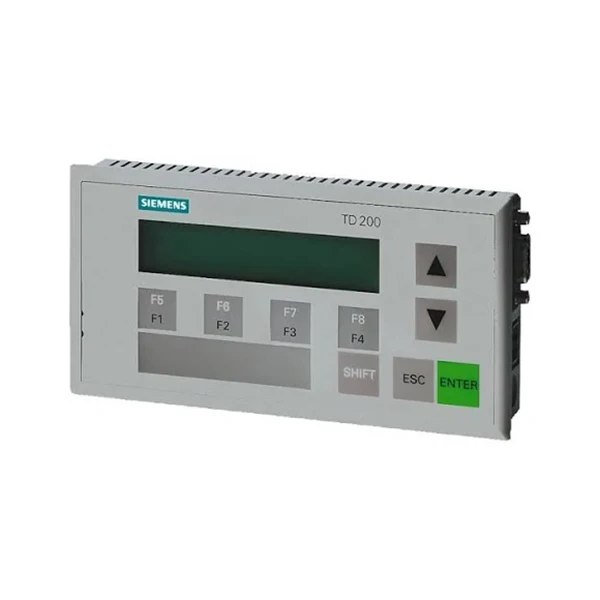
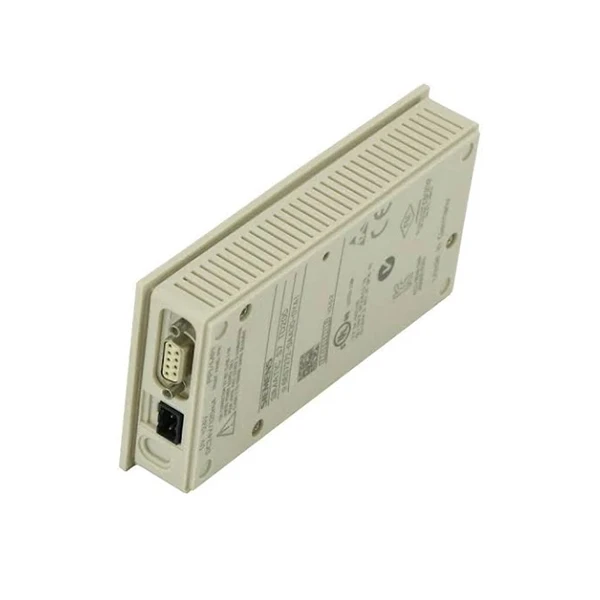
When dealing with specific Siemens HMI products, there are additional security considerations. For example, the Siemens SIMATIC HMI TD 200 is a popular HMI device. Make sure to follow the manufacturer's security guidelines for this device, including proper configuration of access rights and encryption settings.
Similarly, for Siemens 6AV3688 - 3AY36 - 0AX0 and Siemens 6AV2124 0QC02 0AX1, always refer to the product documentation for specific security recommendations.
Conclusion
Securing remote access to Siemens HMIs is a complex but essential task. By understanding the threat landscape, implementing strong authentication mechanisms, using secure communication protocols, keeping systems updated, segmenting the network, training employees, monitoring access, and using secure hardware, you can significantly reduce the risk of security breaches.
As a Siemens HMI supplier, I am committed to providing you with the best - in - class products and solutions to ensure the security of your remote access. If you are interested in purchasing Siemens HMIs or need further assistance with security implementation, I encourage you to reach out for a detailed discussion. We can work together to tailor a security solution that meets your specific needs and helps you protect your industrial processes.
References
- Siemens Industrial Security Guidelines
- NIST Cybersecurity Framework
- ISO 27001 Information Security Standard


