


In the realm of industrial automation, Programmable Logic Controllers (PLCs) play a pivotal role in streamlining processes and enhancing efficiency. Omron, a renowned name in the industry, offers a wide range of PLCs that are known for their reliability, performance, and advanced features. One of the key aspects of working with Omron PLCs is understanding how to use the remote I/O effectively. As an Omron PLC supplier, I am here to guide you through the process of using remote I/O in an Omron PLC.
Understanding Remote I/O in Omron PLCs
Before delving into the details of using remote I/O, it's essential to understand what remote I/O is and why it's important. Remote I/O refers to the ability to connect input and output devices to a PLC from a distance. This is particularly useful in large industrial settings where the PLC and the I/O devices are located far apart. By using remote I/O, you can reduce the amount of wiring required, simplify installation, and improve system flexibility.
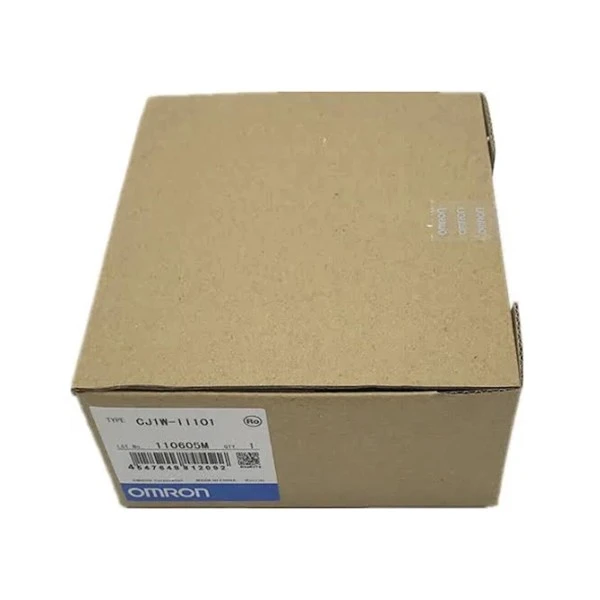
Omron offers a variety of remote I/O modules that can be used with their PLCs. These modules are designed to be easy to install and configure, and they provide a reliable and efficient way to connect I/O devices to the PLC. Some of the popular Omron remote I/O modules include the OMRON CJ1W-II101 Interface Module, which provides a high-speed connection between the PLC and the remote I/O devices, and the Omron CP1W-40EDR Programmable Controller, which offers a compact and cost-effective solution for small to medium-sized applications.
Steps to Use Remote I/O in an Omron PLC
Step 1: Select the Appropriate Remote I/O Modules
The first step in using remote I/O in an Omron PLC is to select the appropriate remote I/O modules for your application. Consider the number and type of I/O devices you need to connect, the distance between the PLC and the I/O devices, and the communication protocol you want to use. Omron offers a wide range of remote I/O modules with different I/O capacities, communication interfaces, and features, so you can choose the modules that best suit your needs.
Step 2: Install the Remote I/O Modules
Once you have selected the appropriate remote I/O modules, the next step is to install them. Follow the installation instructions provided by Omron to ensure that the modules are installed correctly. Make sure to connect the power supply, communication cables, and I/O devices to the modules as per the wiring diagram.
Step 3: Configure the PLC and Remote I/O Modules
After installing the remote I/O modules, you need to configure the PLC and the modules to establish communication between them. Use the Omron programming software, such as CX-Programmer, to configure the PLC and the remote I/O modules. You will need to set up the communication parameters, such as the baud rate, data format, and communication protocol, and assign the I/O addresses to the remote I/O modules.
Step 4: Program the PLC
Once the PLC and the remote I/O modules are configured, you can start programming the PLC to control the I/O devices connected to the remote I/O modules. Use the ladder logic programming language or other programming languages supported by the Omron PLC to write the control program. The program should include instructions to read the input signals from the remote I/O modules, process the data, and send the output signals to the appropriate I/O devices.
Step 5: Test and Debug the System
After programming the PLC, it's important to test and debug the system to ensure that it is working correctly. Use a test bench or a real-world application to test the system. Check the input and output signals, monitor the system performance, and make any necessary adjustments to the program or the configuration.
Benefits of Using Remote I/O in Omron PLCs
Reduced Wiring
One of the main benefits of using remote I/O in Omron PLCs is the reduction in wiring. By connecting the I/O devices to the remote I/O modules, you can minimize the amount of wiring required between the PLC and the I/O devices. This not only simplifies the installation process but also reduces the risk of wiring errors and improves system reliability.

Improved Flexibility
Remote I/O provides greater flexibility in system design and installation. You can easily add or remove I/O devices without having to make significant changes to the wiring or the PLC configuration. This makes it easier to adapt to changing production requirements and expand the system in the future.
Enhanced System Performance
Omron remote I/O modules are designed to provide high-speed communication and reliable operation. They can handle large amounts of data and ensure fast response times, which is essential for real-time control applications. By using remote I/O, you can improve the overall performance of your industrial automation system.
Common Challenges and Solutions
Communication Issues
One of the common challenges when using remote I/O in Omron PLCs is communication issues. These issues can be caused by a variety of factors, such as incorrect communication settings, faulty cables, or interference. To solve communication issues, make sure to double-check the communication parameters, replace any faulty cables, and use shielded cables to reduce interference.
I/O Module Compatibility
Another challenge is ensuring the compatibility of the remote I/O modules with the PLC. Omron offers a wide range of PLCs and remote I/O modules, and it's important to choose the modules that are compatible with your PLC model. Refer to the Omron product documentation or consult with an Omron expert to ensure compatibility.
Conclusion
Using remote I/O in an Omron PLC can significantly enhance the performance and flexibility of your industrial automation system. By following the steps outlined in this blog, you can successfully install, configure, and program the remote I/O modules to control your I/O devices. If you have any questions or need further assistance with using remote I/O in Omron PLCs, feel free to contact us. We are an Omron PLC supplier with extensive experience in providing high-quality PLC solutions and technical support. We can help you select the right Omron PLC and remote I/O modules for your application and guide you through the installation and configuration process. Whether you are looking for the OMRON CJ1W-II101 Interface Module, the Omron CP1W-40EDR Programmable Controller, or the Omron CP1H-EX40DT-D, we have the expertise and resources to meet your needs. Contact us today to start a discussion about your procurement requirements and let us help you take your industrial automation system to the next level.
References
- Omron Corporation. (Year). Omron PLC User Manual.
- Omron Corporation. (Year). Remote I/O Module Technical Documentation.


