


Transferring ABB PLC programs between different devices might seem like a daunting task, but it's actually quite doable once you get the hang of it. As an ABB PLC supplier, I've dealt with this process numerous times, and I'm here to share some tips and tricks with you.
Understanding the Basics
First off, let's talk about why you might need to transfer ABB PLC programs. Maybe you're upgrading your equipment, or perhaps you're setting up a new production line and want to replicate the existing program. Whatever the reason, the key is to ensure a smooth transfer so that your operations aren't disrupted.
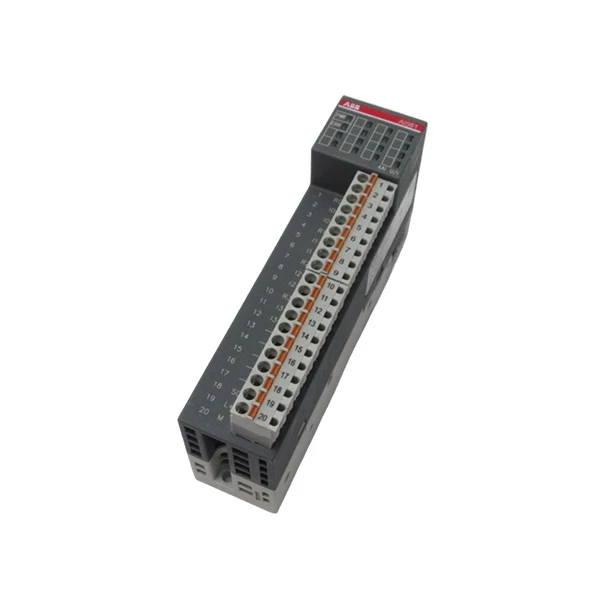
ABB PLCs come in various models, each with its own set of features and requirements. For example, the 2TLA020070R4700 ABB PLC is known for its reliability and high - performance capabilities. The 1TNE968902R1101 ABB - AI561 is a popular analog input module, and the ABB PFEA112 - 65 3BSE050091R65 offers great power management features. Understanding the specific model you're working with is crucial for a successful program transfer.
Prerequisites for Program Transfer
Before you start transferring the program, there are a few things you need to take care of.
Hardware Compatibility
Make sure that the source and target devices are compatible. This includes checking the memory capacity, communication interfaces, and processor capabilities. If the target device has a lower memory capacity than the source, the program might not fit. Also, ensure that both devices support the same communication protocols, such as Ethernet or serial communication.
Software Requirements
You'll need the appropriate programming software for ABB PLCs. Usually, ABB's Automation Builder or RobotStudio is used for programming and transferring programs. Make sure you have the latest version installed on your programming device, as older versions might not support all the features of the newer PLC models.
Backup the Program
It's always a good idea to backup the existing program on the source device. This way, if something goes wrong during the transfer, you can restore the original program. You can use the programming software to create a backup file, which can be saved on your computer or an external storage device.
Steps for Transferring ABB PLC Programs
Step 1: Connect the Devices
First, establish a connection between the source and target devices. If you're using Ethernet, connect both devices to the same network. You can use a switch or a router to create the network. If you're using serial communication, connect the devices using a serial cable.
Once the physical connection is made, configure the communication settings on both devices. This includes setting the IP addresses (for Ethernet) or the baud rate (for serial communication). Make sure the settings match on both devices.
Step 2: Open the Programming Software
Launch the ABB programming software on your programming device. Log in to the software using your credentials.
Step 3: Read the Program from the Source Device
In the programming software, select the option to read the program from the source device. You'll need to specify the connection details, such as the IP address or the serial port. Once you've entered the correct information, the software will establish a connection with the source device and read the program.
Step 4: Prepare the Target Device
Before transferring the program to the target device, you might need to format the memory or perform some initial configuration. This can usually be done through the programming software. Follow the instructions provided by the software to prepare the target device.
Step 5: Transfer the Program
After the target device is ready, select the option to transfer the program from the programming software. The software will send the program to the target device. The transfer process might take a few minutes, depending on the size of the program and the speed of the communication link.
Step 6: Verify the Transfer
Once the transfer is complete, verify that the program is working correctly on the target device. You can do this by running some test routines or checking the input and output signals. If there are any errors, you might need to troubleshoot the issue. This could involve checking the program logic, the communication settings, or the hardware connections.
Troubleshooting Common Issues
Even if you follow all the steps correctly, you might encounter some issues during the program transfer. Here are some common problems and how to solve them.
Communication Errors
If you're having trouble establishing a communication connection between the devices, check the physical connections first. Make sure the cables are properly plugged in and there are no loose connections. Also, check the communication settings on both devices to ensure they match.

Program Compatibility Issues
If the program doesn't work correctly on the target device, it could be due to compatibility issues. Check if the target device supports all the functions and instructions used in the program. You might need to modify the program to make it compatible with the target device.
Memory Issues
If the program fails to transfer because of memory issues, check the memory capacity of the target device. You might need to free up some memory by deleting unnecessary files or upgrading the memory module.
Conclusion
Transferring ABB PLC programs between different devices is a process that requires careful planning and attention to detail. By following the steps outlined above and troubleshooting any issues that arise, you can ensure a successful program transfer.
As an ABB PLC supplier, I can offer you high - quality ABB PLCs and the support you need for program transfer and other related tasks. If you're interested in purchasing ABB PLCs or need more information about program transfer, feel free to reach out for a procurement discussion.
References
- ABB Automation Builder User Manual
- ABB RobotStudio Documentation
- ABB PLC Technical Guides


