


As a supplier of Omron HMI (Human-Machine Interface) products, ensuring the stability of Omron HMI operation is not only a technical challenge but also a crucial factor in maintaining customer satisfaction. In this blog post, I'll share some insights and strategies based on my experience in the industry to help you keep your Omron HMI running smoothly.
Understanding the Basics of Omron HMI
Before diving into the stability measures, it's essential to have a basic understanding of Omron HMI. Omron HMIs are designed to provide an intuitive interface for operators to interact with industrial equipment and processes. They come in various models, such as the NS8-TV01B-V2 Omron, Omron NB5Q-TW01B, and Omron NS10-TV00B-V2 HMI, each with its own features and capabilities.
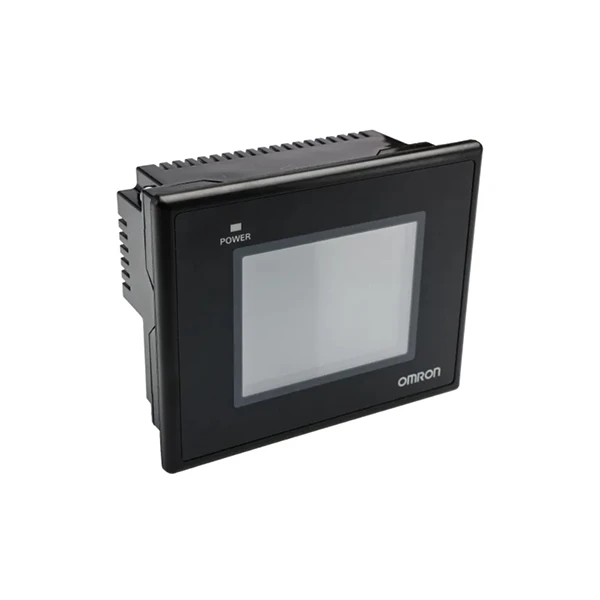
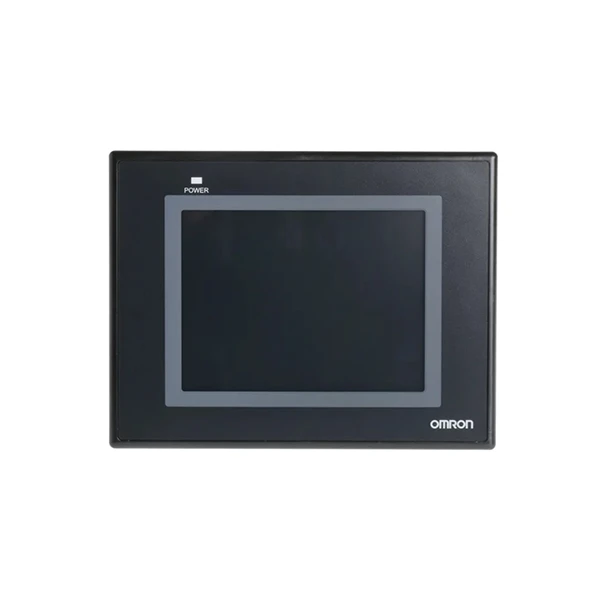
These HMIs are used in a wide range of industries, including manufacturing, automation, and process control. They play a vital role in monitoring and controlling machines, displaying real-time data, and providing alerts and notifications. Therefore, any instability in the HMI operation can lead to production downtime, reduced efficiency, and potential safety risks.
Environmental Considerations
One of the primary factors that can affect the stability of Omron HMI operation is the environment in which it is installed. Here are some environmental considerations to keep in mind:
- Temperature and Humidity: Omron HMIs are designed to operate within a specific temperature and humidity range. Excessive heat or cold can cause the components to expand or contract, leading to malfunctions. High humidity can also cause corrosion and electrical shorts. Therefore, it's important to install the HMI in a location with a stable temperature and humidity level.
- Dust and Debris: Dust and debris can accumulate on the HMI screen and inside the device, causing it to overheat and malfunction. To prevent this, it's recommended to use dust covers and keep the installation area clean. Regular maintenance, such as cleaning the screen and vents, can also help to remove any accumulated dust and debris.
- Electrical Interference: Electrical interference from nearby equipment, such as motors, generators, and power lines, can disrupt the HMI operation. To minimize electrical interference, it's important to use shielded cables and install the HMI away from sources of electrical noise. Additionally, grounding the HMI properly can help to reduce the risk of electrical interference.
Power Supply and Wiring
A stable power supply is essential for the proper operation of Omron HMIs. Here are some tips to ensure a reliable power supply:
- Use a Stable Power Source: Connect the HMI to a stable power source, such as a UPS (Uninterruptible Power Supply) or a regulated power supply. This can help to protect the HMI from power surges and outages, which can cause data loss and system failures.
- Check the Wiring: Ensure that the wiring is properly installed and connected. Loose or damaged wiring can cause electrical shorts and intermittent failures. Regularly inspect the wiring for any signs of wear or damage, and replace any faulty wiring immediately.
- Avoid Overloading the Circuit: Do not overload the electrical circuit that the HMI is connected to. Overloading can cause the circuit breaker to trip, resulting in a power outage to the HMI. Make sure that the power requirements of the HMI are within the capacity of the circuit.
Software and Firmware Updates
Keeping the HMI software and firmware up to date is crucial for ensuring its stability and performance. Here's why:
- Bug Fixes and Security Patches: Software and firmware updates often include bug fixes and security patches that can address known issues and vulnerabilities. By installing the latest updates, you can prevent potential problems and protect your HMI from cyber threats.
- Improved Performance and Compatibility: Updates may also include performance improvements and compatibility enhancements. These can help to optimize the HMI operation and ensure that it works seamlessly with other devices and systems.
- New Features and Functionality: In some cases, software and firmware updates may introduce new features and functionality. These can enhance the user experience and provide additional value to your HMI.
To ensure that your HMI is running the latest software and firmware, regularly check for updates on the Omron website or use the built-in update feature of the HMI. Follow the instructions provided by Omron to install the updates safely and correctly.
User Training and Maintenance
Proper user training and maintenance are essential for the long-term stability of Omron HMI operation. Here's what you can do:
- Train the Users: Provide comprehensive training to the operators and users of the HMI. Make sure that they understand how to use the HMI properly, including how to navigate the menus, enter data, and perform basic troubleshooting. This can help to prevent user errors and minimize the risk of system failures.
- Establish a Maintenance Schedule: Develop a regular maintenance schedule for the HMI. This should include tasks such as cleaning the screen, checking the wiring, and performing software and firmware updates. By following a maintenance schedule, you can identify and address any potential issues before they become major problems.
- Keep Records: Keep records of all maintenance activities, including software and firmware updates, repairs, and replacements. This can help you to track the history of the HMI and identify any patterns or trends that may indicate a potential problem.
Troubleshooting and Support
Despite taking all the necessary precautions, issues may still arise with the Omron HMI operation. Here's how you can troubleshoot and get support:
- Refer to the User Manual: The user manual is a valuable resource for troubleshooting common issues. It provides detailed instructions on how to operate the HMI, perform basic maintenance, and troubleshoot problems. Before contacting technical support, refer to the user manual to see if you can resolve the issue on your own.
- Contact Technical Support: If you're unable to resolve the issue on your own, contact Omron technical support. They have the expertise and resources to help you diagnose and fix the problem. Provide them with as much information as possible, including the model number of the HMI, the symptoms of the problem, and any error messages that you've received.
- Use Online Resources: Omron also provides online resources, such as forums and knowledge bases, where you can find answers to common questions and get advice from other users. These resources can be a valuable source of information and support.
Conclusion
Ensuring the stability of Omron HMI operation requires a comprehensive approach that includes environmental considerations, power supply and wiring, software and firmware updates, user training and maintenance, and troubleshooting and support. By following these tips and best practices, you can minimize the risk of system failures and keep your Omron HMI running smoothly.
If you're interested in purchasing Omron HMIs or need further assistance with ensuring their stability, please feel free to contact us. We're here to help you find the right solutions for your needs and ensure the reliable operation of your industrial equipment.
References
- Omron Corporation. (n.d.). Omron HMI User Manuals. Retrieved from [Omron Website]
- Industrial Automation Handbook. (n.d.). Human-Machine Interface (HMI) Design and Operation. Retrieved from [Industrial Automation Handbook Website]


