


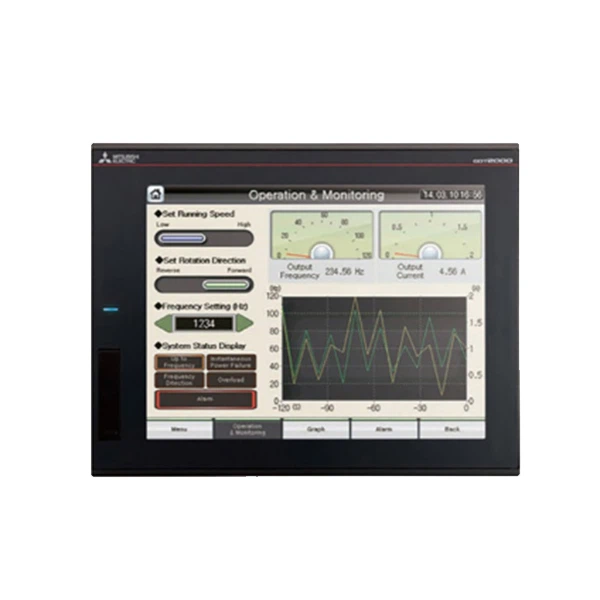
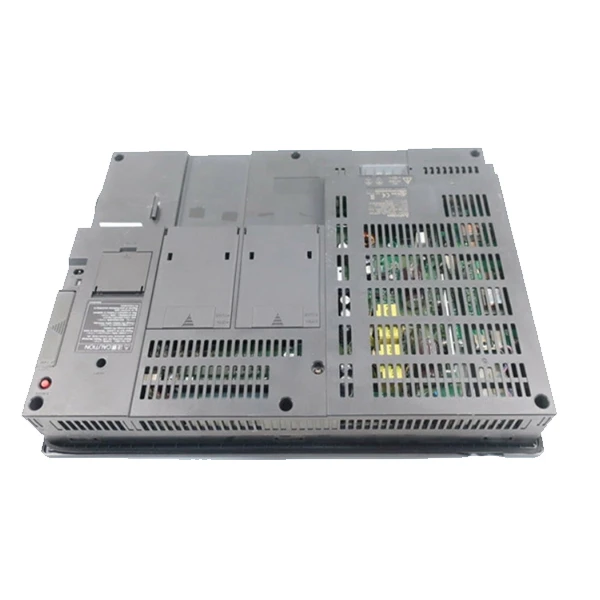
Hey there! As a supplier of Mitsubishi HMI (Human-Machine Interface) products, I've seen my fair share of common problems that users run into. In this blog post, I'm going to share some tips on how to troubleshoot these issues. Whether you're using a Mitsubishi GT1575-VTBA, Mitsubishi GOT 1000 GT1695M-XTBA, or Mitsubishi GT2512-STBD HMI, these troubleshooting steps should come in handy.
1. Display Issues
One of the most common problems with Mitsubishi HMIs is display issues. You might notice that the screen is blank, flickering, or has weird colors.
Screen is Blank
- Check the Power Supply: First things first, make sure the HMI is getting power. Check the power cord to see if it's properly plugged in. If it's an external power supply, ensure it's working by testing it with a multimeter. Sometimes, a loose connection can cause the power to cut off.
- Inspect the Display Cable: A damaged or loose display cable can also lead to a blank screen. Check the cable that connects the HMI to the display unit. If it looks frayed or if the connectors are loose, try tightening them or replacing the cable.
Screen is Flickering
- Update the Firmware: An outdated firmware can sometimes cause flickering issues. Visit the Mitsubishi official website and download the latest firmware for your specific HMI model. Follow the instructions carefully to update the firmware. This can often fix software glitches that cause flickering.
- Adjust the Display Settings: Sometimes, the display settings might be off. Navigate to the display settings on your HMI and try adjusting the brightness, contrast, and refresh rate. Changing these settings might stop the flickering.
Weird Colors on the Screen
- Check for Hardware Damage: Physical damage to the display screen can result in color issues. Look closely at the screen for any signs of cracks or scratches. If you find any damage, you might need to replace the display unit.
- Review the Color Calibration: Go to the color calibration settings on your HMI. Try resetting the color calibration to its default values and see if that fixes the problem.
2. Connectivity Problems
Another headache for many users is connectivity issues. This could mean the HMI can't connect to the PLC (Programmable Logic Controller) or other devices.
Can't Connect to PLC
- Verify the Communication Settings: Double - check all the communication settings on both the HMI and the PLC. Make sure the baud rate, parity, and stop bits match. Incorrect settings are a common cause of connection failures.
- Test the Communication Cable: The communication cable between the HMI and the PLC could be faulty. Try replacing the cable with a new one to see if that resolves the issue. Also, check the connectors to ensure they are clean and properly seated.
Wi - Fi Connectivity Issues
- Check the Wi - Fi Signal Strength: If your HMI is using Wi - Fi, make sure it's within range of the access point. You can try moving the HMI closer to the access point or using a Wi - Fi extender.
- Verify the Wi - Fi Credentials: Ensure that you've entered the correct Wi - Fi password and network name on the HMI. Sometimes, a simple typo can prevent the HMI from connecting to the Wi - Fi network.
3. Touchscreen Not Responsive
A non - responsive touchscreen is a major annoyance. Here's how you can troubleshoot this problem.
Clean the Touchscreen
- Use a Soft Cloth: Dirt, dust, and fingerprints can affect the touchscreen's sensitivity. Gently clean the touchscreen with a soft, lint - free cloth. You can moisten the cloth slightly with a small amount of water or a mild glass cleaner, but make sure to avoid getting any liquid into the HMI.
Calibrate the Touchscreen
- Follow the Calibration Procedure: Most Mitsubishi HMIs have a touchscreen calibration option in the settings menu. Follow the on - screen instructions to calibrate the touchscreen. This can often fix minor responsiveness issues.
Check for Software Glitches
- Restart the HMI: Sometimes, a simple restart can clear up software glitches that cause the touchscreen to be unresponsive. Turn off the HMI, wait for a few seconds, and then turn it back on.
4. System Freezing or Crashing
If your Mitsubishi HMI freezes or crashes frequently, it can disrupt your operations.
Check for Memory Issues
- Close Unnecessary Applications: If you have multiple applications running on the HMI, close any that you're not using. Running too many applications at once can overload the system's memory and cause it to freeze.
- Check the Storage Capacity: Make sure there's enough free space on the HMI's storage. If the storage is almost full, it can slow down the system and lead to crashes. You can delete any unnecessary files or applications to free up space.
Update the Operating System
- Get the Latest Updates: An outdated operating system can be a source of stability issues. Check the Mitsubishi website for operating system updates for your HMI model and install them as soon as possible.
5. Error Messages
When you see an error message on your Mitsubishi HMI, it can be a bit scary. But don't panic!
Note Down the Error Code
- Find the Solution: Every error message has a corresponding error code. Write down the code and look it up in the HMI's user manual or on the Mitsubishi support website. The error code will usually give you a clue as to what's wrong and how to fix it.
Contact Technical Support
- Get Expert Help: If you can't figure out the problem based on the error code, don't hesitate to contact Mitsubishi's technical support. They have the knowledge and experience to help you resolve the issue.
So there you have it! These are some of the most common problems with Mitsubishi HMIs and how to troubleshoot them. If you're facing any of these issues and need assistance or if you're looking to purchase a new Mitsubishi HMI, feel free to reach out. We're here to help you make the most of your Mitsubishi HMI products.
References
- Mitsubishi HMI User Manuals
- Mitsubishi Electric Technical Support Documentation


