


Hey there! I'm a supplier of ABB VFDs (Variable Frequency Drives), and today I wanna chat about how to use the cascade control function of ABB VFDs. It's a really useful feature that can help you get the most out of your drives in various applications, so let's dive right in.
What is Cascade Control in ABB VFDs?
First off, let's understand what cascade control is. In simple terms, cascade control is a control strategy where two or more control loops are nested together. The output of one control loop (the master loop) acts as the setpoint for another control loop (the slave loop). This setup allows for more precise and stable control, especially in systems where there are multiple variables that need to be regulated.
In the context of ABB VFDs, cascade control can be used to synchronize the operation of multiple drives, control the speed or torque of motors in a coordinated way, and optimize the performance of a system. For example, in a conveyor belt system with multiple motors, cascade control can ensure that all the motors run at the same speed, preventing slippage and maintaining a smooth flow of materials.
Setting Up Cascade Control in ABB VFDs
Now, let's talk about how to set up cascade control in ABB VFDs. The process may vary slightly depending on the specific model of the drive, but the general steps are as follows:
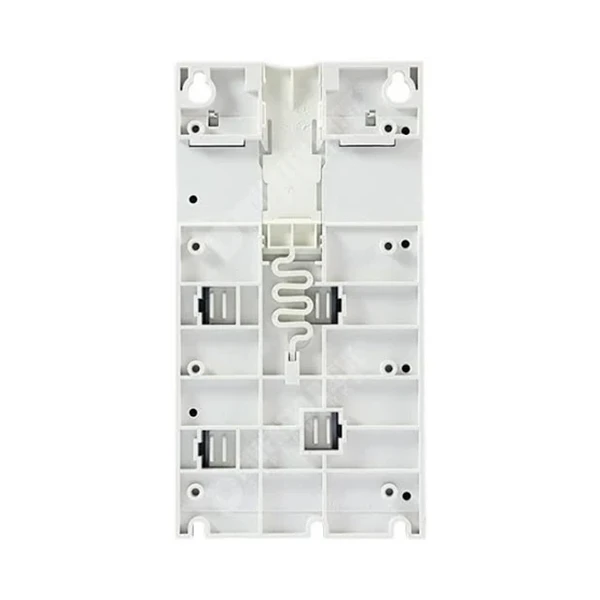

Step 1: Select the Right VFDs
You need to choose ABB VFDs that support cascade control. Some popular models that offer this feature include the Abb Acs550-01-012a-4 Inverter Drive, ABB Acs580-01-169a-4 90kw Inverter, and ABB ACS310-03E-34A1-4 Inverter Drive. Make sure you check the product documentation to confirm that the drive you're using has the cascade control function.
Step 2: Configure the Master Drive
The master drive is the one that sets the overall control parameters for the system. You'll need to configure the master drive to generate the appropriate control signal for the slave drives. This typically involves setting the speed, torque, or other relevant parameters in the master drive's control panel.
Here are the basic steps to configure the master drive:
- Connect the master drive to the power supply and the motor.
- Power on the drive and enter the programming mode.
- Navigate to the cascade control settings in the drive's menu.
- Set the desired control parameters, such as the speed reference, torque limit, etc.
- Save the settings and exit the programming mode.
Step 3: Configure the Slave Drives
The slave drives are the ones that follow the control signal from the master drive. You'll need to configure the slave drives to receive and respond to the control signal from the master drive.
Here's how to configure the slave drives:
- Connect the slave drives to the power supply and the motors.
- Power on the drives and enter the programming mode.
- Navigate to the cascade control settings in the drive's menu.
- Select the master drive as the control source. This can usually be done by setting the communication protocol and the address of the master drive.
- Set any additional parameters specific to the slave drive, such as the speed or torque offset.
- Save the settings and exit the programming mode.
Step 4: Test the System
Once you've configured the master and slave drives, it's time to test the system. Start the master drive and observe the operation of the slave drives. Make sure that the slave drives are following the control signal from the master drive and that the system is operating as expected.
If you encounter any issues during the testing phase, you may need to adjust the control parameters in the master or slave drives. You can also refer to the product documentation or contact ABB technical support for further assistance.
Tips for Using Cascade Control in ABB VFDs
Here are some tips to help you get the most out of the cascade control function in ABB VFDs:
- Understand the System Requirements: Before setting up cascade control, make sure you have a clear understanding of the system requirements. Consider factors such as the load characteristics, the desired speed or torque range, and the communication protocol between the drives.
- Use the Right Communication Protocol: ABB VFDs support various communication protocols, such as Modbus, Profibus, and CANopen. Make sure you choose the right communication protocol for your application to ensure reliable and efficient communication between the drives.
- Calibrate the Drives: It's important to calibrate the drives to ensure accurate control. This may involve adjusting the speed or torque sensors, setting the correct motor parameters, and performing a self-tuning procedure.
- Monitor the System Performance: Regularly monitor the system performance to detect any issues or abnormalities. You can use the drive's built-in diagnostic tools or external monitoring devices to track the speed, torque, and other relevant parameters.
- Update the Firmware: Keep the firmware of your ABB VFDs up to date to ensure that you have access to the latest features and bug fixes. You can download the latest firmware from the ABB website and follow the instructions in the product documentation to update the drives.
Conclusion
The cascade control function in ABB VFDs is a powerful tool that can help you achieve more precise and stable control in your applications. By following the steps outlined in this blog post and using the tips provided, you can set up and use cascade control effectively in your ABB VFD systems.
If you're interested in purchasing ABB VFDs or need more information about cascade control or other features, feel free to get in touch with us. We're here to help you find the right solutions for your needs and ensure that your systems operate at their best.
References
- ABB VFD Product Manuals
- ABB Application Notes on Cascade Control


