


Hey there! As a supplier of Mitsubishi PLCs, I often get asked about how to use the data logging functions in these nifty devices. So, I thought I'd share some insights on this topic with you.
First off, let's talk about why data logging in a Mitsubishi PLC is so important. Data logging allows you to record various types of data over time, such as sensor readings, machine status, and operational parameters. This data can be used for a bunch of things, like troubleshooting, performance analysis, and compliance reporting. By having a clear record of what's been going on with your equipment, you can make more informed decisions and keep your operations running smoothly.
Now, let's dive into the steps of using the data logging functions in a Mitsubishi PLC.
Step 1: Choose the Right PLC
Not all Mitsubishi PLCs have the same data logging capabilities. Some models are more feature - rich than others. For example, the HG - KN43J - S100 Mitsubishi is a great option if you need high - precision control and data handling. It has a decent amount of memory and processing power to handle data logging tasks effectively.
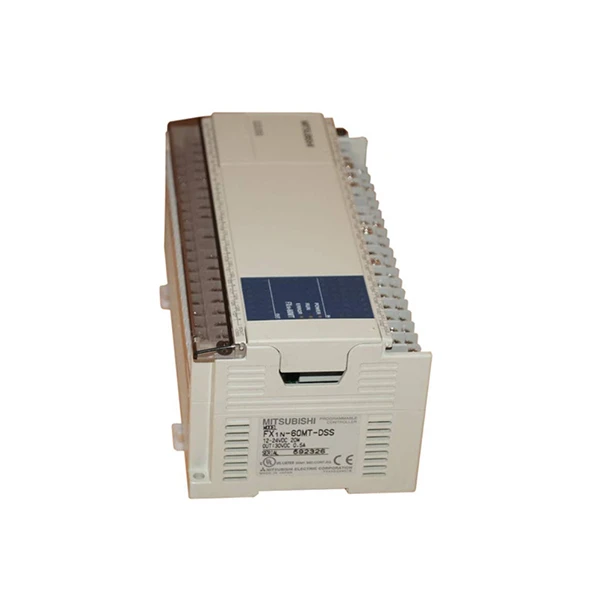
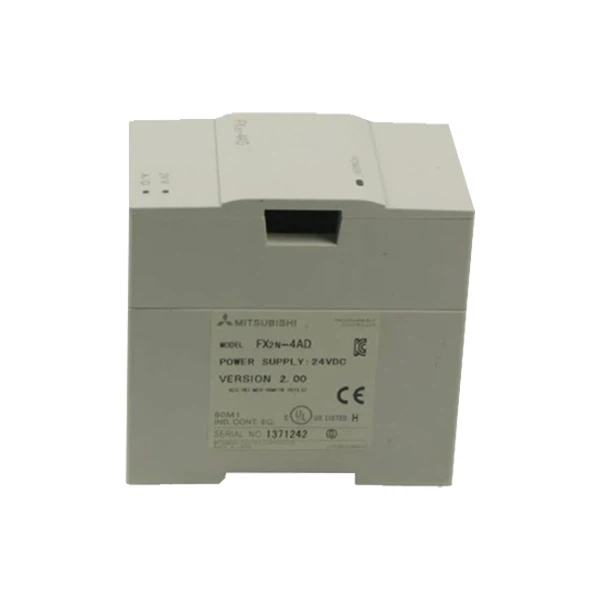
Another popular choice is the Mitsubishi Fx2n 4ad. This module is often used for analog input and can be integrated with a PLC for data logging of analog signals. And if you're looking for a compact yet powerful option, the Mitsubishi FX - 1N - 60MT - DSS PLC might be the one for you. It's suitable for small - to - medium - sized applications and has built - in data logging features.
Step 2: Configure the Data Logging Settings
Once you've got your PLC, the next step is to configure the data logging settings. This usually involves using the programming software provided by Mitsubishi, like GX Works2.
First, you need to define what data you want to log. This could be values from specific input/output (I/O) points, internal registers, or timers. For example, if you're monitoring a temperature sensor connected to an analog input, you'd select the corresponding input address to log the temperature readings.
You also need to set the logging interval. This determines how often the PLC will record the data. You can choose a fixed interval, like every second, minute, or hour, depending on your requirements. If you're monitoring a process that changes rapidly, you might want a shorter interval. On the other hand, if the process is relatively stable, a longer interval will do just fine.
Step 3: Set Up the Storage
Mitsubishi PLCs can store the logged data in different ways. One common method is to use the internal memory of the PLC. However, the internal memory has limited capacity, so it's suitable for short - term data logging or when you don't need to store a large amount of data.
If you need to store more data, you can use external storage devices. For example, you can connect a memory card or a USB flash drive to the PLC. This allows you to store a large amount of data over a long period of time. Just make sure to format the storage device correctly according to the PLC's requirements.
Step 4: Start the Data Logging
After you've configured the settings and set up the storage, it's time to start the data logging. In the programming software, you can usually find a command or function to start the logging process. Once you start it, the PLC will begin recording the data at the specified interval.
Step 5: Retrieve and Analyze the Data
When you need to access the logged data, you can use the programming software to retrieve it from the PLC or the external storage device. The data is usually in a format that can be easily exported to a spreadsheet or other data analysis tools.
Once you've got the data, you can start analyzing it. Look for trends, patterns, and anomalies. For example, if you're logging the temperature of a machine, you might notice that the temperature is gradually increasing over time, which could indicate a problem with the cooling system.
Tips and Tricks
- Backup Your Data Regularly: Data loss can be a real pain, so make sure to back up your logged data regularly. You can copy the data from the external storage device to a computer or a server.
- Use Alarms and Triggers: You can set up alarms and triggers in the PLC based on the logged data. For example, if the temperature exceeds a certain threshold, the PLC can send an alarm signal to alert you.
- Keep Your Software Up - to - Date: Mitsubishi often releases software updates that can improve the data logging functionality of your PLC. Make sure to install these updates to get the latest features and bug fixes.
Conclusion
Using the data logging functions in a Mitsubishi PLC is a great way to keep track of your industrial processes and make better decisions. By following the steps I've outlined above, you can set up a reliable data logging system in no time.
If you're interested in purchasing a Mitsubishi PLC or need more information about data logging or any other features, feel free to reach out. We're here to help you find the best solution for your needs. Whether you're a small business owner or part of a large industrial operation, we've got the expertise and the products to support you. Contact us to start a procurement discussion and take your operations to the next level.
References
- Mitsubishi Electric Corporation. PLC Programming Manuals.
- GX Works2 User Guide.


