


As a supplier of Schneider Variable Frequency Drives (VFDs), I often receive inquiries from customers about setting the frequency reference source of these drives. This process is crucial as it determines how the VFD controls the speed of the motor, which in turn affects the performance and efficiency of the entire system. In this blog post, I will guide you through the steps of setting the frequency reference source of Schneider VFDs, using some popular models as examples.
Understanding the Frequency Reference Source
Before diving into the setting process, it's important to understand what the frequency reference source is. In a VFD, the frequency reference source is the input that determines the output frequency of the drive, which is directly related to the speed of the motor. There are several common frequency reference sources, including analog input, digital input, and communication protocols.
Setting the Frequency Reference Source for Schneider VFDs
Step 1: Select the Appropriate VFD Model
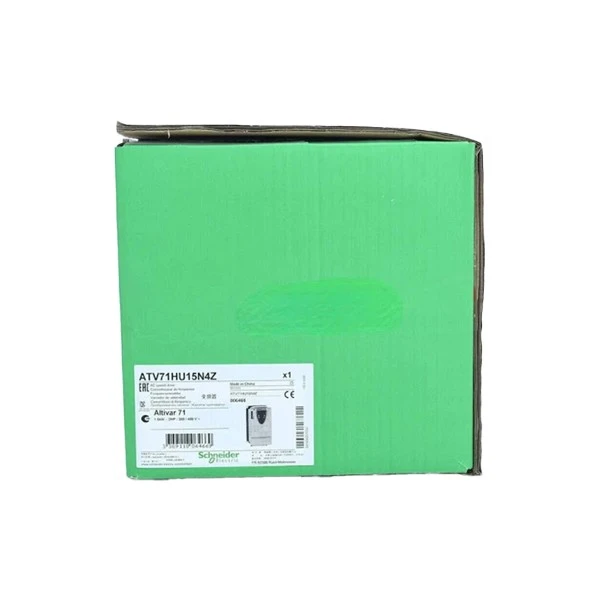
Schneider offers a wide range of VFDs, each with its own features and settings. For this guide, we'll focus on three popular models: Schneider Xw Pro 6848, Schneider ATV71HU15N4Z VFD, and Schneider ATV610D22N4.
Step 2: Access the Drive's Configuration Menu
To set the frequency reference source, you need to access the drive's configuration menu. This can usually be done using the keypad or a programming device connected to the drive. Refer to the user manual of your specific VFD model for detailed instructions on how to access the menu.
Step 3: Locate the Frequency Reference Source Setting
Once you're in the configuration menu, look for the setting related to the frequency reference source. This setting may be labeled differently depending on the VFD model, but it's typically something like "Frequency Reference" or "Reference Source."
Step 4: Choose the Desired Frequency Reference Source
There are several options for the frequency reference source, and the choice depends on your specific application requirements. Here are some common options:
- Analog Input: This is one of the most common frequency reference sources. You can use an analog signal, such as a 0-10V or 4-20mA signal, to control the output frequency of the VFD. To select the analog input as the frequency reference source, you may need to configure the input range and scaling according to your signal.
- Digital Input: Digital inputs can be used to set specific frequency values or to select different operating modes. For example, you can use a digital input to switch between two preset frequencies.
- Communication Protocol: Many Schneider VFDs support communication protocols such as Modbus, Profibus, or Ethernet. You can use these protocols to send frequency reference commands from a PLC or other control device. To use a communication protocol as the frequency reference source, you need to configure the communication settings and enable the relevant protocol on the VFD.
Step 5: Configure the Selected Frequency Reference Source
After choosing the frequency reference source, you may need to configure additional settings depending on the option you selected. For example, if you're using an analog input, you need to set the input range, scaling, and filtering. If you're using a communication protocol, you need to configure the communication parameters such as baud rate, parity, and address.
Step 6: Save and Apply the Settings
Once you've configured the frequency reference source and all the related settings, save the changes and apply them to the VFD. This may involve pressing a "Save" or "Apply" button on the keypad or programming device.
Testing and Verification
After setting the frequency reference source, it's important to test and verify the operation of the VFD. You can do this by applying the appropriate input signal or command and checking if the output frequency of the VFD changes accordingly. Make sure to monitor the motor speed and performance to ensure that the VFD is operating correctly.
Troubleshooting
If you encounter any issues during the setting process or testing, here are some common troubleshooting steps:
- Check the Wiring: Make sure that all the connections are secure and that the wiring is correct. Loose or incorrect wiring can cause problems with the frequency reference source.
- Verify the Input Signal: If you're using an analog or digital input, check the input signal to make sure it's within the expected range and that there are no interference issues.
- Review the Configuration Settings: Double-check all the configuration settings to make sure they're correct. Incorrect settings can lead to unexpected behavior of the VFD.
- Refer to the User Manual: The user manual of your VFD model is a valuable resource for troubleshooting. It contains detailed information about the settings, operation, and troubleshooting procedures.
Conclusion
Setting the frequency reference source of a Schneider VFD is an important step in configuring the drive for your specific application. By following the steps outlined in this guide, you can easily set the frequency reference source and ensure that the VFD operates correctly. If you have any further questions or need assistance with setting up your Schneider VFD, please don't hesitate to contact us. We're here to help you with all your VFD needs and can provide you with the best solutions for your applications. Whether you're looking for a reliable VFD for a small motor or a high-performance drive for a large industrial application, we have the expertise and products to meet your requirements. Contact us today to start the procurement process and discuss your specific needs.
References
- Schneider Electric. (Year). User Manual for [VFD Model]. Retrieved from [Manual Source]
- Industrial Automation Handbook. (Year). Variable Frequency Drives. Publisher: [Publisher Name]


