


Hey there! As a supplier of Mitsubishi PLCs, I've seen firsthand how these nifty devices can really amp up the efficiency and reliability of industrial automation systems. But like any piece of tech, they need proper maintenance to keep them running smoothly. So, let's dive into the maintenance requirements for a Mitsubishi PLC.
Regular Inspections
First off, regular inspections are a must. You gotta check the PLC for any signs of physical damage. Look for cracks in the housing, loose connections, or any signs of overheating. I've seen cases where a loose wire caused a whole system to go haywire. So, make it a habit to visually inspect the PLC at least once a month.
Check the power supply too. Make sure it's providing the correct voltage. A fluctuating power supply can mess with the PLC's performance and even cause long - term damage. If you notice any issues with the power supply, it's best to replace it right away.
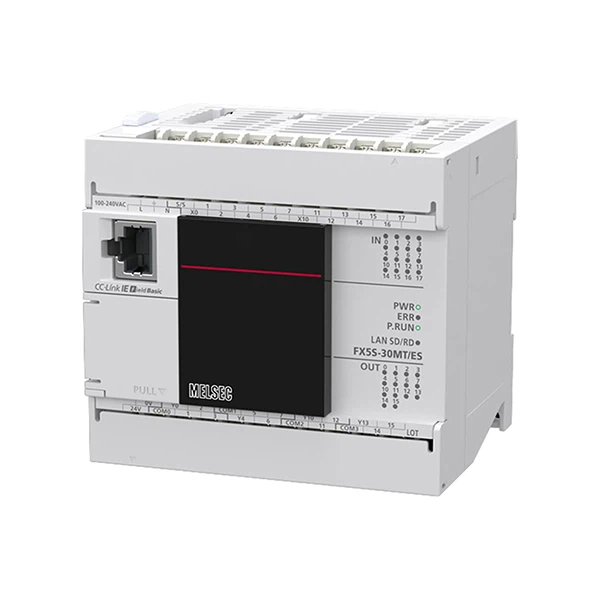
Another important part of the inspection is looking at the input and output modules. These are like the communication channels of the PLC. Check for any damaged or malfunctioning modules. If you find one, you can usually replace it easily. For example, the FX5S 30MT ES has input and output modules that are pretty straightforward to swap out if needed.
Cleaning
Cleaning is often overlooked, but it's super important. Dust and debris can accumulate inside the PLC over time, which can lead to overheating and other problems. Use a can of compressed air to blow out any dust from the ventilation holes and the interior of the PLC. Just be careful not to get too close and damage any components.
I've also seen cases where oil or other contaminants got into the PLC. If that happens, you might need to use a special cleaning solution to gently clean the affected areas. But always make sure to follow the manufacturer's instructions when using any cleaning products.
Software Updates
Mitsubishi is constantly improving its PLC software. These updates can fix bugs, add new features, and enhance security. So, you should keep an eye out for software updates and install them regularly.
Before you install an update, make sure to back up your existing program. You don't want to lose all your hard - work in case something goes wrong during the update process. Most of the time, the update process is pretty simple. You can usually download the update from Mitsubishi's official website and then use a programming cable to transfer it to the PLC.
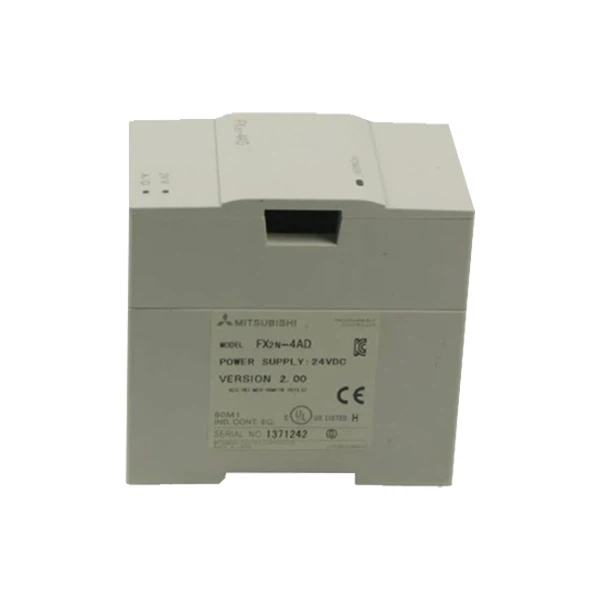
The Mitsubishi Fx2n 4ad is a great example of a module that benefits from software updates. Newer software versions can improve its analog input accuracy and functionality.
Battery Replacement
Many Mitsubishi PLCs use batteries to maintain the memory. These batteries have a limited lifespan, usually a few years. You need to keep track of when the battery needs to be replaced. A low - battery warning will usually pop up on the PLC's display when it's time.
When replacing the battery, make sure to follow the correct procedure. You don't want to accidentally lose the stored data. It's also a good idea to have a spare battery on hand so you can make the replacement quickly.
Documentation and Logging
Keep detailed records of all maintenance activities. This includes inspection dates, cleaning times, software updates, and battery replacements. These records can be really helpful if you ever run into a problem. You can look back and see when the last maintenance was done and what was done.
Logging the performance of the PLC is also a good idea. You can use the built - in diagnostic functions of the PLC to track things like input and output status, error codes, and system performance. This data can help you identify potential problems before they turn into major issues.
Environmental Considerations
The environment where the PLC is installed matters a lot. It should be installed in a clean, dry, and well - ventilated area. Avoid areas with high humidity, extreme temperatures, or a lot of vibration.
If the PLC is in an area with high electromagnetic interference, you might need to use shielding to protect it. For example, the Mitsubishi FX3S 30MR ES can be affected by strong electromagnetic fields, so proper shielding can ensure its reliable operation.
Training and Support
Make sure your staff is properly trained to maintain the Mitsubishi PLC. Mitsubishi offers training courses that can teach your employees how to perform basic maintenance tasks, troubleshoot problems, and use the programming software.
If you ever run into a problem that you can't solve on your own, don't hesitate to reach out for support. Mitsubishi has a great support team that can help you diagnose and fix issues.
In conclusion, maintaining a Mitsubishi PLC is not that difficult if you follow these steps. Regular inspections, cleaning, software updates, battery replacements, and proper documentation are key. And always keep in mind the environmental factors and the importance of training and support.
If you're in the market for a Mitsubishi PLC or need more information about maintenance, feel free to reach out. We're here to help you get the most out of your Mitsubishi PLC and keep your industrial automation system running at its best.
References
- Mitsubishi Electric Corporation. Mitsubishi PLC User Manuals.
- Industrial Automation Magazines and Journals on PLC Maintenance.


